This is the multi-page printable view of this section. Click here to print.
News
- Your services, available to agents
- Pull request #5000
- Services, agents, and workflows
- The Loop, Shipped: Introducing micro loop
- An Agent Is a Service: Where Agent Frameworks Are Going
- How Go Micro Builds Itself
- Go Micro is an Agent Harness
- Go Micro Joins OpenAI's Codex for Open Source
- Building a Support Agent in Go
- Agents Across Frameworks: A2A
- Bringing an Open Source Project Back from the Dead
- Go Micro is Becoming a Framework for Agentic Development
- Durable Workflows
- Integrating x402: Payments for Agents
- When the Event Is the Prompt
- Doubling Down on Agents
- Not Everything Should Be an Agent
- The Evolution of Microservices
- Agents That Plan and Delegate
- Introducing micro.NewAgent()
- Agents for Services: A New Model for Microservices
- Going All In on AI
- From Prompt to Production: AI-Generated Microservices That Actually Run
- Build Your Own AI Agent CLI in 150 Lines
- Tools as Services: Why Go Micro Was Always Ready for AI
- From Chat to Flows: What If Your Services Could Orchestrate Themselves?
- micro chat: Talk to Your Services
- Atlas Cloud Sponsors Go Micro: 300+ AI Models, One Integration
- Your Microservices Are Already an AI Platform
- Agents Meet Microservices: A Hands-On Demo
- Building the AI-Native Future of Go Micro with Claude
- Developer Experience Cleanup: One Way to Do Things
- Making Microservices AI-Native with MCP
- Introducing micro deploy
Your services, available to agents
A service gives a capability a name, an interface, and somewhere to run. That remains the foundation of Go Micro.
An agent needs those capabilities too. It might need to look something up, update a record, or start a process. The service implements the operation; the agent decides when to use it.
Go Micro v6.15.1 takes that all the way through. Write a Go
service, call it from the command line, and expose it through the gateway.
An MCP client can discover and use the same operation. You can also use
micro chat, or define an agent in Go with its own model, instructions,
and service access.
You choose which MCP tools to expose. The gateway provides a connection URL, and its HTTP and MCP listeners accept the same gateway credentials. Services remain usable independently of an agent, and workflows can coordinate their operations when the sequence needs to be defined in code.
Start with the quickstart, which installs v6.15.1 and provides a complete service. Once it is running:
micro call notes Notes.List '{}'
The response contains two notes: “Review the release” and “Update the documentation”. Expose that same operation to an MCP client:
micro gateway --address 127.0.0.1:8080 \
  --mcp-address 127.0.0.1:3000 \
  --mcp-tool notes.Notes.List
Connect your client to http://127.0.0.1:3000/mcp. It can discover
notes.Notes.List and call it to retrieve those notes. The gateway needs no
model key; the client supplies the agent. These addresses are local to your
machine. The guide covers authentication when exposing a listener beyond it.
We checked the tagged release using real service, gateway, and client processes. That found problems unit tests had missed: registry settings that did not reach the gateway, and MCP calls that returned empty content. Those paths now have an automated check that builds the examples directly from the guides. The model in that check is scripted; discovery, RPC, and the external client calls are real.
Pull request #5000
We’ve just merged pull request #5000 in Go Micro. It feels like a good moment to reflect on a project that has been part of my life for more than a decade.
Maintaining any piece of software for that long is difficult. The industry moves, people’s needs change, and so does your own interest and energy. Keeping something useful means revisiting decisions, supporting what people already depend on, and finding a reason to keep going.
Thank you to everyone who has used Go Micro, contributed to it, reported a problem, or questioned its direction over the years. That continued involvement is part of what makes it possible to maintain a project this long.
Services are still the foundation
Go Micro started with a simple idea: make it easier to build services in Go. A client, a server, a registry, a broker, a transport, and a codec gave developers the building blocks for service communication. Storage and configuration grew around them. Interfaces and useful defaults let people start small and replace the parts they needed to.
Those services are still the core building blocks of everything we’re doing. They contain the operations, data, and application logic that make a system useful.
An agent needs a way to act. Services give it that: operations it can discover and call as tools. A workflow gives those operations a sequence when the order of work is known. Both build on the same capabilities that another Go program, an API, or a user interface can use.
That makes the move from services to agents and workflows a natural evolution of the framework. The service you build remains useful as the ways of interacting with it change. An agent can choose what to call, while the service continues to define what that operation does.
A renewed ability to build
AI has also changed how I work on Go Micro itself.
Tools such as GitHub Copilot, Claude Code, and Codex have brought a renewal of interest and ability. I can explore an idea, work through changes, and revisit parts of the project that would previously have taken too much time to tackle. There is less friction between seeing what needs to change and being able to do something about it.
Not getting bogged down in the code has helped a lot. It leaves more room to think about the framework as a whole: what it is for, how the pieces fit together, and what it feels like for someone trying to use it.
The responsibility for those decisions remains. Generated code still needs review, testing, and a clear reason to exist. Being able to make more changes makes it even more important to decide which changes are worth making.
I see that renewed interest beyond this project too. Across the industry, people are reconsidering what they can build and what existing software can become. For a long-running project, that is an opportunity to return to its foundations and find new uses for them.
Keeping it simple
The next stage of Go Micro is about making services, agents, and workflows fit together in a way that is easy to understand and extend.
That means keeping services useful on their own, making agents programmable in Go, and giving developers a clear way to coordinate work. It also means shorter documentation, fewer competing starting points, and paying attention to the whole experience rather than just adding capabilities.
After a decade, there is still more to build. AI has helped restore the energy and ability to do that work. The aim remains familiar: make it easier for developers to build useful software.
Services, agents, and workflows
Go Micro began with a practical problem: building services in Go meant repeatedly writing the code to find them, call them, and pass messages between them. The framework put that work behind interfaces for clients, servers, registries, brokers, transports, and codecs. Storage and configuration followed.
That remains the foundation. The work on agents builds on it: a service exposes an operation, and an agent can use that operation as a tool. Workflows let you put those operations into a defined sequence.
Start with a service
Consider an application that stores notes. Its service might expose methods to list, create, and update them. Those methods contain the application logic, including validation and access checks. Other Go programs call them over RPC.
Adding an agent gives someone another way to use those same operations. They can ask it to find a note or record something from a conversation. The model chooses a tool and supplies its arguments; the service still performs the work.
The service remains useful on its own. You can test its handlers, call it from another service, or put a web interface in front of it. You can change the model without rewriting the operations it calls.
Program the agent
An agent needs a model, instructions, and tools. In Go Micro, you configure these in Go. You can select which services it uses, add function tools, and provide your own implementations of the framework’s interfaces.
The CLI gives you access to what you build. Run your agent, then use
micro chat to interact with it. With one registered agent, chat connects to
that agent automatically. Your Go program defines its behaviour.
This is where the framework’s value is: developers can build agents around their own systems and extend the components when the defaults no longer fit.
Use a workflow for a known sequence
Some work has an order you already know. Fetch records, process them, then save the result. A workflow expresses those steps directly, and a step can call a service, ask an agent to do part of the work, or run a Go function.
Use the model where a decision is needed. Keep the sequence in code where it is already defined. If a step changes data, account for retries: an interrupted operation may run again.
A simpler place to start
The documentation had accumulated too many starting points. We’ve replaced the main navigation with five pages: Getting started, Services, Agents, Workflows, and Reference.
The guides follow one small service. First you write and call it. Then you give an agent access to it. Finally, you call it from a workflow. The first step needs no model or API key.
Start with the guide, or go straight to
services, agents, or
workflows. The guides currently use the development
version on master.
The direction for Go Micro is to make these parts work well together while keeping them independently useful. The measure is whether a developer can get something running, understand how it works, and change it to fit their own application.
The Loop, Shipped: Introducing micro loop
A few weeks ago we wrote How Go Micro Builds Itself: a loop of two AI agents — Codex writing scoped increments, Claude Code orchestrating and reviewing, a human setting direction — kept honest by CI. It was our own thesis, an agent operating a system, pointed at the repository that defines the thesis.
People asked the obvious question: can I run that on my repo?
Now you can. micro loop init drops the whole pipeline into any repository, and — the part that makes it real rather than aspirational — Go Micro itself now runs on it. The workflows that maintain this project are generated by the same command we’re shipping to you.
It’s not a binary. It’s CI plus prompts.
The first thing to understand is what the loop is, physically, because it’s not what people expect. There is almost no program here. The loop is a handful of GitHub Actions workflows and a few Markdown files. GitHub Actions is the runtime. Nothing compiled sits in a server “running the loop.”
So micro loop the command is not the loop. It’s a scaffolder. micro loop init writes the workflows and the prompts into your repo and exits. From then on, GitHub runs everything on a schedule.
That reframing is the whole design:
- The workflows are the mechanism — open a fresh tracking issue, summon an agent, let it open a PR, merge on green CI. This is generic. It’s the same for every repo.
- The prompt files are the policy — what the agent is actually told to do. These live in
.github/loop/prompts/<role>.md, and they’re yours to edit.
Separating the two is what lets a tool be both general and specific. The mechanics never change; the instructions are entirely under your control. You steer the loop by editing prose, not YAML.
The five roles
A full loop has five roles, each a workflow that dispatches an agent (or, for release, just cuts a tag):
| Role | What it does |
|---|---|
| planner | Reads your direction, scans what merged and what’s open, and maintains a ranked queue in .github/loop/PRIORITIES.md. Decides what. |
| builder | Takes the top open item from the queue, implements it as a single-concern PR, and enables auto-merge so it lands the moment CI is green. Does the work. |
| triage | When CI fails on a branch, root-causes the failure and files scoped fix issues back into the queue. The feedback path. |
| coherence | Keeps README, docs, and CHANGELOG.md aligned with your North Star; drafts release notes. Optional. |
| release | Cuts the next patch tag when the branch has new commits, so the installable artifact tracks the loop. Optional. |
This is the planner / generator / evaluator shape of a long-running agent harness, distributed across GitHub Actions instead of subagents. Generation is deliberately separated from evaluation: an agent grading its own work reliably over-rates it, so CI — not the builder — is the gate.
Quickstart
micro loop init            # planner, builder, triage
micro loop init --roles all # add coherence + release
micro loop verify          # check the wiring
init writes the workflows, a NORTH_STAR.md (your direction) and PRIORITIES.md (your queue), and the per-role prompt files. Then there are exactly two things the CLI can’t do for you — and micro loop verify reminds you of both:
- Add a token secret. The agent ignores
@mentionsfrom thegithub-actionsbot, so dispatch has to post as a real user via a personal access token stored as a repo secret. Until it’s set, the workflows deliberately no-op. - Set branch protection. Require your CI checks with zero approving reviews, so the builder’s auto-merge lands PRs the instant CI is green. That green-CI gate is the loop’s only safety mechanism — which means it’s worth saying plainly: the loop is only as good as your tests.
Edit .github/loop/NORTH_STAR.md to point it, tune the prompts if you like, commit, and it’s running.
The decisions that matter (and the things that broke)
Building this taught us that the hard part of an autonomous loop isn’t the agent — it’s the wiring around it. A few decisions are load-bearing, and we learned most of them by getting them wrong first.
Agent-agnostic by @mention. The dispatch summons an agent by mentioning it on an issue (@codex by default; --agent to change it). Any coding agent that responds to an issue mention and can run gh fits. The mechanics don’t care which one.
A fresh issue every run. Agents derive their PR branch name from the triggering issue. Reuse one tracker issue and every run collapses onto a single branch name — the first PR opens, the rest silently collide and never appear. A unique issue per run gives each increment a clean branch. We found this the way you’d expect: a loop that looked healthy but quietly stopped producing PRs.
Bots can’t summon bots. Codex ignores comments authored by github-actions[bot], so the dispatch has to post as a user. That’s the whole reason the token secret exists, and why the loop no-ops without it rather than pile up ignored comments.
Don’t let checkout clobber your token. Our nightly release action once failed to push a tag with a permission error — despite having a valid token — because actions/checkout persists the default GITHUB_TOKEN as a git credential that overrode the personal token on the push. The generated release workflow ships with that fix baked in (persist-credentials: false), so it can’t bite you.
None of these are exotic. They’re exactly the papercuts you’d hit assembling this yourself over a week, and they’re the reason a scaffolder earns its place: the defaults encode the lessons.
Go Micro runs on it
Here’s the part we care about most. This repository’s loop is no longer hand-written. We ran micro loop init --roles all on Go Micro itself, moved our queue and direction into .github/loop/, and preserved our own richer instructions — the architect’s founder-lens prompt, the adoption steer, the harness-failure triage, the changelog pass — as the editable prompt files. Behavior is identical; only the mechanism is now generated.
We proved it end to end before writing this. The planner fired, opened a fresh tracking issue as the token user, and posted its full instruction to Codex — clean, correctly addressed, picked up within seconds. The loop that will help maintain the post you’re reading is the loop this post is about.
That’s the honesty test for a dogfooded tool: if we wouldn’t run it on our own main branch, we shouldn’t ask you to run it on yours.
What it is not
It would be easy to oversell this, so let’s be clear about the edges.
- It is not a replacement for judgment. The generated prompts keep an explicit off-limits list — breaking public APIs, positioning and brand copy, new dependencies, architectural rewrites. Those get surfaced to a human, never auto-merged. Taste stays with you.
- It is only as good as your gate. Point it at a repo with weak CI and it will happily merge weak work. The evaluator is the safety model. Invest there first.
- It spends tokens and pushes commits. This is real automation with real effects. Start with the three-role default, watch it, and add
coherenceandreleaseonce you trust it. - It’s early. The mechanics are solid and battle-tested on this repo, but this is version one. The next steps are more agent adapters and, eventually, a standalone home so the workflows can be reused directly.
The shape of the thing
Go Micro’s premise is that when an agent has to operate inside a real system, it is a distributed system — services, state, retries, observability — and the simplest place to build it is the runtime where your services already live. micro loop is that premise turned back on the repository: an agent, operating a system, where the system is the codebase itself.
You’ve read about how Go Micro builds itself. Now you can point the same loop at your own repo:
micro loop init
Go Micro is an open source agent harness and service framework for Go. Star us on GitHub.
An Agent Is a Service: Where Agent Frameworks Are Going
There are now a lot of ways to build an agent. LangChain and LangGraph, LlamaIndex, CrewAI, Microsoft’s AutoGen, Google’s ADK, the model labs’ own SDKs, and — most recently in our own backyard — tRPC-Agent-Go from Tencent. They are not all solving the same problem, and the places they differ tell you a lot about where this is heading.
This is a field guide to that landscape, and an honest account of where Go Micro sits in it.
The first wave: a model in a loop
The first wave of agent frameworks solved one thing: get a model to call tools in a loop until a task is done. LangChain, more than any other project, defined that category in 2022 — chains, then agents, then graphs. LlamaIndex came at it from the data and retrieval side. CrewAI and AutoGen leaned into multi-agent orchestration — crews and conversations of role-played agents. The model labs shipped their own agent SDKs so you could stay close to the metal.
That first problem — model, tools, a loop — is now largely commoditized. Every SDK does it, and they mostly do it well. Which means the interesting question has moved. It is no longer “how do I get a model to use a tool.” It is everything that happens around the loop once the agent has to do real work: connect to real systems, hold state across restarts, recover from failure, be observed, be scheduled, and be reached by other agents. That is the part that decides whether an agent makes it out of a demo.
LangChain itself is the clearest evidence. The framework was the distribution; the value moved to operating agents — which is why their commercial product is LangSmith (observability, evaluation, monitoring), not the framework. The lesson the pioneer taught is that the framework gets you to a running agent, and the hard, durable, valuable problems are in operating it.
“Agent = Model + Harness” — but a harness has two layers
LangChain has a good framing for this: an agent is a model plus a harness — the runtime around the model that makes it useful. The framing is right. What is usually left implicit is that “harness” has two distinct layers, and almost all the frameworks live in the first one.
The intra-agent harness is the runtime around a single model: the system prompt, the tool definitions, context management and compaction, the sandbox, self-verification, and the continuation loop that keeps the model going until it is done. LangChain and LangGraph, deepagents, Claude Code, and the model labs’ SDKs are excellent at this. It is real, hard work, and it is most of what people mean when they say “agent framework.”
The operational harness is the distributed substrate an agent operates inside: services exposed as typed tools, discovery and RPC, durable and resumable runs, observability, scheduling, and the protocols agents use to reach each other. This is the layer where a single agent stops being a script and becomes part of a system — where many agents, many services, and many workflows have to compose without falling over.
The first layer produces an agent. The second is where that agent has to live. Most frameworks build the first and leave the second to you — you bring your own services, your own discovery, your own durability, your own deployment. That is the gap that matters now, because the moment you have more than one agent or one service, the operational harness is the product.
The loop is the new frontier
If the first wave was “a model in a loop,” the direction now is what LangChain has started calling loop engineering: stacking loops around the agent. It is a useful map. There is the agent loop (model calls tools until done), the verification loop (a grader checks the output against a rubric and sends failures back with feedback), the event-driven loop (the agent is triggered by webhooks, schedules, or messages instead of a human typing), and the hill-climbing loop (production traces feed back to improve the prompts, tools, and graders over time).
Notice that only the first of those four is the intra-agent harness. The other three — verification, event-driven triggers, learning from traces — are the operational harness. The frontier is moving from “answer a prompt” to scheduled, looping, work-performing agents: agents that run on a cadence, do real work, check their own output, and get better. That is exactly the layer that is underbuilt, and it is the layer that decides whether agents are dependable.
Where the frameworks are going
Survey the field and a shape emerges. LangChain and LangGraph pair graph-based orchestration with LangSmith for operations, funded to build the team that operates the platform. CrewAI and AutoGen are converging on multi-agent orchestration patterns. Google’s ADK is a strong code-first framework with first-class evaluation, tuned for Gemini and Google Cloud. tRPC-Agent-Go brings a production-grade Go agent SDK — LLM, Chain, Parallel, Cycle, and Graph agents; tools; MCP and A2A; memory and RAG; evaluation; agent self-evolution; OpenTelemetry — maintained by Tencent’s tRPC group and validated inside Tencent.
They differ in the details, but most share two structural choices. They are an agent SDK you run alongside your services — the agents are a layer, and your service tier lives somewhere else and is called into. And they are graph-centric — you compose agents and tools into graphs and conditional workflows. That is a coherent, well-trodden approach, and for a lot of teams it is exactly right.
Go Micro starts somewhere else.
Where Go Micro fits: an agent is a service
Go Micro’s position is a single claim: an agent is a service. Not a layer bolted onto a service tier — the same runtime.
The reasoning is straightforward. The moment an agent has to discover services, call them, hold state, and recover from failure, it is a distributed system. That is precisely the problem a service framework already solves. So instead of building an agent SDK that sits next to your services, Go Micro makes agents and services the same primitives:
- Every service endpoint is automatically an AI-callable tool, derived from registry metadata. You do not wire tools into a graph; you write a service and it is already a tool, reachable over MCP.
- An agent is a service. It registers, is discovered, load-balances, exposes an
Agent.ChatRPC, keeps store-backed memory, and is reachable over A2A — the same lifecycle as anything else you run. - Workflows are durable code paths, not a graph DSL. Use a
flowof checkpointed steps where the path is known; dispatch to an agent where it is not. The deterministic parts are plain, resumable Go; the dynamic parts are agents.
The premise is that the line between “your services” and “your agents” is accidental complexity. Remove it, and there is less to wire, less to keep in sync, and a much shorter path from a service to an agent that uses it. The operational harness — discovery, RPC, pub/sub, durable runs, observability, deployment — is not something you assemble around the framework. It is the framework.
This is also why Go Micro is deliberately not a graph DSL. Graphs are expressive, and for some teams that visual, declarative model is the draw. But a graph is one more thing to learn and maintain next to your services. “It is just services and durable flows” is a smaller surface to hold in your head, and it composes with everything a service already does.
A concrete contrast: tRPC-Agent-Go
Because it is the closest neighbour — a serious, production Go framework — tRPC-Agent-Go makes the fork concrete. It is an agent SDK that runs alongside your tRPC services, organised around graph, chain, parallel, and cycle agents. Go Micro is one runtime where the agent is the service and orchestration is durable flows.
We will be honest about where they are ahead: tRPC-Agent-Go ships a first-class evaluation framework, agent self-evolution, AG-UI streaming, and RAG today. Go Micro has the trace foundation (OpenTelemetry run timelines, micro runs) and has the verification/grader loop and richer memory on the roadmap — but if you need those right now, they are further along there, with a large team behind them. Pretending the checklists match would help no one.
What Go Micro offers in return is the thing an SDK-alongside-your-services cannot: services that become tools with zero glue, agents that are first-class services, and one set of primitives — service, agent, flow — instead of a service stack plus an agent layer plus a graph runtime.
The direction we’re building
If scheduled, looping, work-performing agents are where this goes, then the operational harness is the thing to get right, and loops are the organising idea. Go Micro already has the agent loop, durable event-driven flows, and the trace foundation for learning. The verification loop — grade a step’s output against a rubric and route failures back with feedback — is the next primitive, building on the supervised loop and retry machinery already there. Durable agent runs, streaming end to end, and richer observability are on the same line. The aim is not to win a feature checklist; it is to be the runtime where an operating agent is dependable.
There is one more piece of evidence we find hard to argue with: Go Micro is increasingly built by its own loop — an autonomous improvement loop running in CI, opening and merging its own changes against a thesis. An agent harness, operated by agents, building itself. If it is good enough to do that, it is good enough to operate yours.
Open protocols, different homes
None of this is winner-take-all, and it should not be. Every serious framework here speaks MCP for tools and A2A for agents. A Go Micro agent and a tRPC-Agent-Go agent can call each other; either can consume the other’s tools; an ADK or LangGraph agent can plug into a Go Micro runtime over A2A, and the reverse. The protocols are the commons.
So the real question is not which framework wins. It is where your agents should live. The answer that Go Micro is built around is that when an agent has to operate inside a real system, it is a distributed system — and the simplest place to build it is the runtime where your services already live.
How Go Micro Builds Itself
Go Micro is an agent harness. The most honest test of that claim is to use agents to build it — so increasingly, we do. A scheduled loop of two AI agents now opens issues, writes increments, and merges its own pull requests against this repo, on a cadence, with a human setting direction rather than typing the code.
This isn’t a stunt. If a harness is good enough to operate a loop that builds itself, that’s evidence it’s good enough to operate the loop that builds your software. So we pointed the thesis at itself and wired up the loop. This post is how it actually works — including the parts that didn’t, because the failure modes are the interesting part.
Two agents and a human
The work splits across three roles:
- Codex is the serial builder. It takes one scoped task at a time, implements it, runs the build, tests, and linter, and opens a pull request.
- Claude Code is the orchestrator: it sets up the machinery, reviews, integrates, and handles the judgment calls Codex shouldn’t make alone.
- The human sets direction and owns taste — brand and positioning copy, breaking public API changes, architectural decisions. Those never merge autonomously.
Everything else is automated.
The mechanism
Each cycle is deliberately boring, which is the point:
- A scheduled workflow opens a fresh tracking issue and dispatches Codex on it with a single instruction: pick the highest-value improvement that advances the North Star, implement it, verify it builds and passes tests and lint, and open a PR.
- Codex does the work on its own branch and opens the PR.
- GitHub native auto-merge lands it the moment the required CI checks go green — build, tests, golangci-lint. There is no human approval step. CI is the only gate, and that’s not an approval, it’s just a refusal to ship broken code.
Every increment is small, single-concern, and reversible. Nothing clever survives that can’t pass the same checks a human contributor’s PR would.
Three altitudes
One loop only produces increments; it doesn’t know whether they’re adding up to anything. So there are three passes at different altitudes:
- An architect pass reviews the whole framework against the thesis every few days — API coherence, gaps in the services → agents → workflows lifecycle, drift — and files scoped issues. It decides what to build.
- The hourly increment loop builds those issues.
- A DevRel pass audits the README, website, docs, and blog each day for coherence, and surfaces things worth writing about. (This post is the kind of thing it’s meant to catch.)
The architect points, the loop builds, DevRel keeps the story honest. Direction flows down; code flows up.
The parts that broke
Wiring an autonomous loop is mostly plumbing and failure modes, which is exactly why it’s a good test of a harness. A few we hit:
- The agent’s “open a pull request” tool turned out to be a stub — it recorded the PR’s title and body and returned them for a downstream step, but never pushed a branch or called the API. The agent cheerfully reported “opened a PR” every time, and no PR ever appeared. The fix was to stop trusting the tool and have the agent push and open the PR itself.
- Dispatching every run from a single tracking issue made the agent derive the same branch name each time, so the first increment opened a PR and the rest silently collided. One fresh issue per run fixed it.
- At one point an increment helpfully rewrote the repo’s own agent instructions to point back at the broken tool. An autonomous loop will faithfully encode its own mistakes, so the guardrails have to be explicit.
None of these are exotic. They’re the ordinary reality of operating an agent loop: tools that lie, state that collides, instructions that drift. The things the harness ships — observability, durable runs, resilience, guardrails — are the things you reach for the moment you try to run a loop like this in earnest.
What it produces
The increments are unglamorous and real. Recent ones hardened the agent run loop with OpenTelemetry run timelines and a micro runs command to inspect them, correlated those timelines with trace spans, added retry backoff to durable flows, and made flow steps cancellation-safe so a canceled run stops retrying instead of burning its budget. Each one landed as a small PR that passed CI on its own.
That’s the texture of the work: not a model writing a framework in one shot, but a loop making it a little better, continuously, under a gate that keeps it honest.
The loop is the proof
We think the future of agentic software is scheduled, looping, work-performing agents — not chat. Go Micro is built by exactly that, against its own repo. The human still sets direction and owns the calls that need taste; CI is the gate; everything is reversible. Within those bounds, the harness builds itself.
If it can do that, it can build yours.
Go Micro is an Agent Harness
The first wave of agent frameworks solved one problem: put a model in a loop with some tools. That’s the easy part now. The harder problem — the one that decides whether an agent makes it past a demo — is operating that loop.
Operating a loop means connecting it to real tools, scoping what it can touch, keeping state when the process restarts, routing work to specialists, recovering from provider failures, seeing what it did, and letting other agents call it. That’s harness work, and it’s most of the actual job.
The harness is the stack you already deploy
Go Micro’s answer is that the harness isn’t a new product to bolt on — it’s the distributed-systems runtime services already have. An agent is a service with a model inside. So:
- Tools are services. Every endpoint is an AI-callable tool from registry metadata; an RPC runs it. No catalog to hand-maintain.
- Agents are services. They register, discover each other, load-balance, expose
Agent.Chat, and are reachable over A2A. - Workflows are code paths. Use a durable flow when the path is known; hand off to an agent when it isn’t.
- Safety lives at execution —
MaxSteps,LoopLimit, andApproveToolrun on the one path every tool call takes. - Interop is built in — MCP for tools, A2A for agents, x402 for paid tools.
The service layer isn’t old positioning we’re walking away from. It’s the reason the harness is credible: an agent that does real work needs typed, discoverable, callable capabilities, and that’s exactly what a service is.
What’s shipped, and what’s next
We’d rather be precise than aspirational. Today the harness gives you tools-from-services, store-backed memory, guardrails, durable flows (including run-until-done loops), built-in plan/delegate, and MCP/A2A/x402 interop.
What we’re building now is the part that turns “operates the loop” from a claim into a guarantee:
- Resilience — deadlines, timeouts, and retry/backoff propagated through the whole loop.
- Durable agent runs — checkpoint and resume a run after a restart, the way flows already do.
- Observability — every run as OpenTelemetry spans, inspectable from the CLI.
- Streaming — tokens end to end, through chat, the agent RPC, and A2A.
That list is the roadmap’s Now and Next, tracked as open issues. The work is happening in public.
Read more
- The Agent Harness — what the harness is, piece by piece, with status
- Roadmap
Go Micro Joins OpenAI's Codex for Open Source
Go Micro has been accepted into OpenAI’s Codex for Open Source program. OpenAI is covering six months of ChatGPT Pro — and with it, access to Codex — to support the day-to-day work of maintaining the project.
What the grant is
Codex for Open Source backs maintainers directly: the constant, unglamorous work of reviewing changes, cutting releases, triaging issues, and keeping quality high. That’s most of what maintaining a framework actually is, and it’s the part that rarely gets funded. OpenAI putting Codex against it is a real, practical help.
Why it fits Go Micro
There’s a neat symmetry here. Go Micro is a framework for agentic development — agents that use tools, services that are automatically AI-callable, workflows that loop until the job is done. Building and maintaining it with an agentic coding tool is that same idea pointed back at itself: tools calling tools.
It also lines up with what’s already in the box. openai has been a first-class model provider in Go Micro since the AI-native rewrite — one of several behind the same model.Model interface. So you can build on OpenAI models with Go Micro, and now we build Go Micro itself with OpenAI’s tooling.
What we’ll use it for
Honestly: throughput. More reviewed PRs, faster releases, quicker issue triage, more examples and docs. The recent run of work — agent loops, A2A, durable flows, a blocking lint gate in CI — is the pace we want to keep, and maintainer tooling is what sustains it.
Thanks
Thanks to OpenAI for backing open source maintainers, and for supporting Go Micro specifically. It joins Anthropic and Atlas Cloud — the companies helping keep this project moving.
Building a Support Agent in Go
Most agent demos are a chat box wired to one tool. Real systems aren’t that — they’re a handful of services, an agent that operates them, something that triggers the agent without a human typing, and a gate on the actions you don’t want it taking on its own. Here’s that, built end to end. The full code is in examples/support; it runs with no API key.
The scenario: a customer files a ticket. That should trigger an agent to look the customer up, set a priority, and reply — but it must not email anyone without passing an approval gate.
1. Services are the tools
Start with plain services. The agent will discover their endpoints as tools automatically — you don’t describe them twice.
type CustomerService struct{}

// Lookup returns the customer with the given email.
// @example {"email": "alice@acme.com"}
func (s *CustomerService) Lookup(ctx context.Context, req *LookupRequest, rsp *Customer) error {
    // ...
}
A tickets service (with Update) and a notify service (with Send, the action we’ll gate) round it out. Three ordinary Go Micro services — nothing AI-specific about them.
2. The agent
An agent is a service with a model inside. Give it the services it manages and it turns their endpoints into tools:
support := micro.NewAgent("support",
    micro.AgentServices("customers", "tickets", "notify"),
    micro.AgentPrompt("You are a support agent. For each ticket, look up the "+
        "customer, set a priority, and reply. Escalate billing issues."),
)
That’s the whole agent. It discovers customers.Lookup, tickets.Update, and notify.Send, and the model decides which to call.
3. The event is the prompt
A support agent that waits for someone to type into a chat box is useless. The trigger is a ticket, so a flow turns that event into the agent’s work:
intake := micro.NewFlow("intake",
    micro.FlowTrigger("events.ticket.created"),
    micro.FlowAgent("support"),
    micro.FlowPrompt("A new support ticket arrived: {{.Data}}. Handle it."),
)
Now a ticket.created event on the broker is enough to set the agent going — no human in the loop to start it. (When the event is the prompt is the idea in full.)
4. The guardrail is the point
The agent can read and triage all it likes. The action you actually care about is the one that reaches a customer — sending the email. That goes through a gate:
micro.AgentApproveTool(func(tool string, input map[string]any) (bool, string) {
    if strings.Contains(tool, "Send") {
        // return false to hold it for a human or a policy
        log.Printf("approval gate: emailing %v", input["to"])
    }
    return true, ""
})
Return false and the send is refused with a reason the model sees — that’s your human-in-the-loop, your spend cap, your billing sign-off. The agent never gets to email a customer on its own unless you let it. (Agent guardrails covers the rest.)
Run it
> event: events.ticket.created {"id":"ticket-1","customer":"alice@acme.com",...}

    [customers] looked up Alice (pro plan)
    [tickets]   ticket-1 → priority=high status=in_progress
    ▣ approval gate notify_NotifyService_Send(alice@acme.com) — approved
    [notify]    📨 to=alice@acme.com: "Hi Alice — thanks for reaching out..."

✓ ticket triaged and the customer was replied to — triggered by an event
With the mock model it follows a fixed triage so it runs anywhere. Point it at a real model — go run main.go -provider anthropic — and the agent reasons about the ticket itself, choosing what to look up and how to reply.
What you actually built
Count what’s AI-specific: the prompt, and one model option. Everything else is services, a flow, the broker, and a guardrail — the things Go Micro has always done. The agent didn’t need a framework of its own; it’s a service that calls other services, triggered by an event, with a gate on the dangerous action.
That’s the shape of a real agent system, and it’s the same shape as a real service system. From here you’d make the gate enforce a real policy, add a knowledge-base service for the agent to search, or expose the agent over A2A so another team’s agent can file tickets. The code is in examples/support — clone it and change one thing.
Agents Across Frameworks: A2A
Inside a Go Micro system, agents already talk to each other. An agent is a service with an Agent.Chat endpoint, so delegate just calls another agent over RPC. That works as long as everyone is on Go Micro. The moment an agent is built on a different framework, the conversation stops: it can’t call yours, and yours can’t call it.
A2A — the open Agent2Agent protocol — is the standard that closes that gap, and Go Micro now speaks it.
A2A is to agents what MCP is to tools
This lines up with something Go Micro already does. The MCP gateway exposes your services as tools to any MCP-speaking agent. The A2A gateway exposes your agents as agents to any A2A-speaking client. Two interop standards, two front doors — and now both are covered.
The design is the same in both cases: discovery is generated from the registry. MCP derives a tool from each service endpoint. A2A derives an Agent Card — the JSON descriptor other agents read to find and call yours — from each agent’s registry metadata. There is nothing to publish and no code to add. Register an agent, and it has a card:
micro a2a serve --address :4000
micro a2a list
An incoming A2A task is translated to the agent’s existing Agent.Chat RPC — the same call delegate and flows already use. The agent’s loop, memory, guardrails, and tool wrappers all apply unchanged. The gateway is a protocol adapter, not a second agent runtime.
Both directions
Exposing your agents is half of it. The other half is calling agents that aren’t yours. The a2a.Client does that, by URL, and it’s wired into the two places work gets handed off:
// As a workflow step — the cross-framework counterpart to Dispatch:
flow.Step{Name: "research", Run: flow.A2A("https://other.example.com/agents/research")}
// From inside an agent, delegate to a URL and it goes over A2A:
//   "delegate this to https://other.example.com/agents/research"
When delegate’s target is an http(s) URL instead of a local agent name, the subtask is sent over A2A. The model doesn’t learn a new tool; it just delegates to a URL.
Scope
This is the synchronous JSON-RPC binding: message/send runs the agent and returns a completed task, tasks/get retrieves one, and Agent Cards are served for discovery. Streaming (message/stream), multi-turn input-required, and push notifications are advertised as unsupported on the card, so clients negotiate correctly. Those are the follow-ups; the synchronous binding is what makes a Go Micro agent both reachable from, and able to reach, the wider ecosystem today.
Where it fits
A2A completes the interop set. MCP exposes services as tools, A2A exposes agents as agents, and x402 handles payment between them — all derived from the registry, none of them a new runtime. An agent stays a service; A2A is one more way to reach it, alongside the Chat RPC, micro chat, and a flow. Building an agent that the rest of the world can talk to is, again, building a service.
See the A2A guide for the full reference.
Bringing an Open Source Project Back from the Dead
I open sourced Go Micro in January 2015. Eleven years later we just tagged v6. What a crazy and surreal experience that is. the project was basically dead or sitting stale for quite some time after VC funding dried up, I shutdown the business and tried to hand off to the community. So much has happened in that time and I’ve learned a lot of lessons. Like how to be grateful for what you had when you had it.
The stages
The first version of Go Micro was a simple library to make microservices: registry, transport, RPC, and pub/sub behind a small set of pluggable interfaces. It found some traction on HackerNews which gave me a bit of confidence. Up to v1 it was mostly bootstrapped and a corporate sponsorship that then became a feedback loop as they used it in production.
In V2 everything changed. I raised venture funding and tried to build a team and product around. I was painfully unprepared and inexperienced for that challenge. The open source framework and company were like oil and water. Like any founder who’s raised money around open source will tell you. Its hard. Really hard.
V3 was an iteration as a platform-as-a-service built on top of the framework. There was real effort behind it, but it wasn’t what people had come for, and it didn’t get traction. I thought from an open source perspective it was great because it coupled the framework with a runtime. But it was too opinionated for most people. We quickly switched gears into offering APIs on top instead which seemed like it would have tbe most traction and did get a lot of signups but ultimately fatigue and a declining runway got the better of me.
Then the difficult part. I had to shut down the company. For a long while Go Micro just sat there — a decaying open source project with no activity to show for it. Like a lot of long running projects. They die a slow quiet death. Go Micro was no different. I was really sad about that but there was nothing I could do to change it. No team, no funding, I tried different ways but it was a no go.
Rebuilding
V4 and V5 were a bit of a come back story. I was trying to remember what Go Micro was actually originally built for. The answer: a Go framework for developers. Not a company, not a platform. Just a way to build distributed systems in Go with infrastructure abstractions and an opinionated development model. So I started bringing it back to that.
Then everything changed. AI came on the scene. And Anthropic launched an open-source grant for Claude Code. So heck, why not, I applied and got access to 6 months of Claude Code for free. Boom. Go Micro is reborn. Let me be clear about one thing: working on a large, aging codebase alone is slow and painful. That slowness kills any momentum and motivation. Building with Claude Code changed everything. I was able to tackle issues I had no motivation to deal with before. To plot out a roadmap and then to rebuild a vision for the future. One in which services become the tools for agents and agents themselves become a core aspect of the framework.
What I actually wanted
Coming back to that. The vision became clear again. Rather than reset, this was about evolution. The original goal was to make building distributed systems simple. What became clear more now is that agents are distributed systems too. An agent is a model, a prompt, and a set of tools — and when it has to do more than one of thing e.g discover services, call them, hold state, and recover from failure, thats when it becomed a distributed system. That is the exact problem Go Micro already solved for services.
So services and agents aren’t two separate things. They’re complementary systems. An agent lives along side services; a service is a tool an agent calls. Building an agent looks like building a service, because underneath it can be the same thing, just with a different style of OODA loop thats dynamic.
What now
So the idea from v4 through v6 turned into:
- Services — the core framework: discovery, RPC, pubsub, storage.
- Agents — a model with memory and tools that use services, with planning, delegation, and guardrails built in.
- Flows — durable, event-driven workflows for the deterministic parts and agents too.
And the interop that makes it matter beyond a single codebase: MCP, so every service is automatically a tool any AI agent can call, and A2A, so every agent can be discovered and called by agents on other frameworks. Both are generated from the registry which is already used for service discovery.
v6
V6 is the beginning of something real. It’s secure by default, leads with agents, and it moves the everything to a new model of development. One thats firmly rooted in the AI era of technology. Its not a rewrite: the decade of services work is the foundation, and v6 is that foundation leveraged for agents.
Projects dont come back from the dead like this. AI brought it back from the dead. Agents made services more relevant. And Claude Code made it possible for me to ship code again.
Thanks to Anthropic for the grant and the sponsorship. Join me in the Discord to discuss further.
Go Micro is Becoming a Framework for Agentic Development
When Anthropic began sponsoring Go Micro, we committed to building in the open and reporting progress as it happened. It has been three months. Each post so far covered one change; this one is about what they add up to. Go Micro is becoming a framework for agentic development, the same way it has been a framework for services for the last decade. It’s an extension of the existing framework, not a rewrite, because an agent is a distributed system and Go Micro is how you build one.
The idea
Ten years ago Go Micro put the hard parts of distributed systems (discovery, transport, encoding, pub/sub, storage) behind a small set of pluggable interfaces with working defaults, so you could build a system of services quickly. The premise this quarter was that an agent is not a special case. An agent is a model, a prompt, and a set of tools, and once it has more than one of anything it is a distributed system again: it has to discover services, call them, persist state, and recover from failure. Building that is what Go Micro is for.
So the work has been to make agents a first-class part of the same framework, and to be clear about the boundary. Go Micro is the substrate, not the brain. It won’t out-engineer a prompt library. What it offers is the way you build a system of agents and services together. (The Evolution of Microservices made this argument in full.)
What shipped
The pattern to notice is how little each piece had to invent.
The agent as a service. micro.NewAgent creates an agent that is a service: it discovers its assigned services as tools, runs the model’s tool loop, and registers a Chat RPC endpoint like anything else. There is no separate runtime and no graph DSL; a tool call is an RPC, and the LLM drives it. (Agents for Services laid out the model.)
Plan and delegate. Every agent gets two built-in tools: plan, an ordered plan persisted to its memory and shown back to it on later turns, and delegate, which hands a subtask to another registered agent over RPC, or to a focused ephemeral sub-agent when there is no specialist. Multi-agent systems built from tools rather than a coordinator engine.
Workflows. Not every task should be model-driven. Following Anthropic’s taxonomy, Go Micro grew a deterministic counterpart: a Flow is a predefined path triggered by an event. It can run a step itself or hand the event to an agent: the workflow triggers, the agent reasons.
Guardrails. Autonomous agents fail in ordinary ways: they loop, they run away, they take an action they shouldn’t. Three guardrails sit at the one point every tool call passes through: MaxSteps, LoopLimit (on by default), and ApproveTool for human-in-the-loop or policy. Orchestration stays in the agent; execution safety is a separate, replaceable concern.
Tool-execution middleware. Because a tool call is an RPC, the middleware Go Micro has always had for clients and servers now applies to tools. AgentWrapTool wraps execution for logging, metrics, or retries, with the same func(next) next shape as client.CallWrapper. The guardrails are themselves wrappers underneath.
Durable workflows. A workflow that calls real services has side effects partway through, and a crash mid-run shouldn’t repeat them. Flows became ordered, checkpointed steps that resume where they stopped, backed by a pluggable Checkpoint (store-backed by default, or delegated to Temporal or Restate). It is durable execution as a store plus an interface, with no separate engine to run.
Payments. An agent acting on its own eventually needs to pay for something. Go Micro speaks x402: a tool can require a stablecoin payment and an agent can settle it, with the chain pluggable behind a facilitator.
A consistent state model. Most recently the plumbing got consistent. Services, agents, and flows each keep their state in their own store table (service/{name}, agent/{name}, flow/{name}) through a new store.Scope handle, instead of mutating a global one. Flows register in the registry like agents, so micro flow list and micro agent list are the same command filtered by type, while micro flow runs and micro agent history read durable state. Live state comes from the registry, history from the store.
The shape of it
None of this is a new framework bolted on. It is the existing one, pointed at agents:
- An agent is a service. A flow is a service. They register, they’re discovered, they’re called over RPC.
- A tool call is an RPC, so discovery, load-balancing, middleware, and codecs all apply.
- Agent memory, plans, and workflow runs are store records. Durability is the store plus an interface.
- The events that trigger agents are the broker.
There is no graph to learn and no engine to run beside your services. The abstraction is still the service; agents are what you build with it now.
What’s next
- Secure by default. Defaults that were fine when a human ran
micro callon a laptop are not fine when an autonomous agent can reach an endpoint. v6’s theme is flipping those defaults (TLS, identity, bounded execution) without losing the zero-config dev loop. - Durable agents. Flows are durable now; the agent’s own loop is not yet. The same
Checkpointshould let a long-running agent survive a restart and resume. The one structural change left is the agent owning its loop. - Staying the substrate. The discipline is to not drift up the stack into prompt tooling or a hosted runtime, and to be the distributed-systems layer for systems of agents.
A small end-to-end harness now boots a real world (services, a durable flow that crashes and resumes, and a guardrailed agent), asserts the outcome, and shuts down. It runs on every change against a mock model, and against a live model on a schedule.
The upshot is that building an agent in Go Micro looks like building a service, because underneath it is one. The infrastructure for a system of agents is, for the most part, the infrastructure for a system of services, and that is the decade of work already in the framework. Services remain the foundation; agents are what we are building on top of them.
Thanks to Anthropic for the sponsorship. Join us in a new Discord to discuss the future of the project.
Durable Workflows
A workflow that calls real services is rarely instant and rarely side-effect-free. It reserves inventory at step one, charges a card at step two, sends a confirmation at step three. Each of those changes the world. So when the process dies between step two and step three — a deploy, an OOM, a node going away — you can’t just run it again from the top: that reserves twice and charges twice. And if the workflow was triggered by an event with no human watching, nobody noticed it died at all.
This is the oldest problem in distributed systems, and it has an established answer: durable execution — checkpoint progress as you go, and on restart resume from where you stopped instead of from the beginning. Go Micro flows now do this.
What a flow was, and what it is now
A flow used to run one augmented-LLM turn per event. Useful, but a single step — there was no notion of a task with stages, and nothing survived a crash.
A flow can now be an ordered list of steps — a task made of stages — and each step is checkpointed before and after. If the process dies mid-run, the run resumes at the step it stopped on, and the steps that already completed do not run again.
f := micro.NewFlow("checkout",
    micro.FlowTrigger("events.order.placed"),
    micro.FlowRetry(2),
    micro.FlowSteps(
        micro.FlowStep{Name: "reserve", Run: micro.FlowCall("inventory", "Inventory.Reserve")},
        micro.FlowStep{Name: "charge",  Run: micro.FlowCall("payment", "Payment.Charge")},
        micro.FlowStep{Name: "confirm", Run: micro.FlowCall("orders", "Orders.Confirm")},
    ),
)
A single-step flow keeps working exactly as before; steps are additive.
How it resumes
State carries a typed payload plus a Stage marker — the name of the step the run is at. That marker is the single source of truth for “where it is,” and it’s the resume point. Before each step, the run is saved; after each step completes, the stage advances and the run is saved again. On restart, the engine loads the run and starts at Stage, so completed steps — and their side effects — are skipped.
Here is a run whose payment dependency is down on the first attempt:
first run:
  reserve  → inventory reserved
  charge   → payment dependency unavailable (crash)
  run failed: payment gateway timeout

checkpoint: run 70643f61 is at step "charge" (status failed)

resume:
  charge   → payment captured
  confirm  → order confirmed

reserve ran 1 time(s) total — completed steps are not repeated on resume
f.Pending(ctx) lists incomplete runs after a restart; f.Resume(ctx, runID) continues one. The full example is examples/flow-durable — it needs no API key, because durability is the only thing on display.
The honest part
Exactly-once is impossible if a crash lands inside a step — you can’t know whether the charge went through. What durable execution actually gives you is at-least-once delivery plus a stable idempotency key per step (runID + step name), so a replayed step is recognized and de-duplicated by the service receiving it. Side-effecting steps have to honor that key. A framework can make this consistent; it can’t repeal the underlying reality, and claiming otherwise would be dishonest.
Where agents come in
Go Micro draws the line from Anthropic’s taxonomy: workflows follow a predefined path; agents direct themselves. A flow is the workflow — you author the steps. An agent is the self-directed one — the model authors the steps at runtime. They are two kinds of control flow, and durability is orthogonal to both.
So a workflow step can hand off to an agent:
micro.FlowStep{Name: "resolve", Run: micro.FlowDispatch("support-agent")}
The deterministic part stays a durable flow; the open-ended part is an agent. The same Checkpoint that persists a flow run is the mechanism the agent’s own loop will use to become durable too — that’s the next step, and it’s a bigger one, because it means the agent owning its loop rather than the provider driving it. What ships today is durable workflows that can call services and dispatch to agents.
No separate engine
The pluggability is the usual Go Micro shape. The built-in Checkpoint is store-backed — point the default store at Postgres or NATS KV and a run survives a real restart, no extra moving parts. Need more, or already run Temporal or Restate? Implement the Checkpoint interface and delegate to it; the explicit step model is what makes a flow mappable onto an external engine. Most teams need neither — the default is durable.
type Checkpoint interface {
    Save(ctx context.Context, run Run) error
    Load(ctx context.Context, runID string) (Run, bool, error)
    Delete(ctx context.Context, runID string) error
    List(ctx context.Context) ([]Run, error)
}
That’s the through-line. Durable execution isn’t a workflow engine you adopt alongside your services; it’s a store and an interface, and the workflow is still just an ordered list of steps you can read. Same as everything else in Go Micro — the abstraction is the service, and this is one more thing the substrate underneath it now handles.
See the Agents and Workflows guide for the full reference.
Integrating x402: Payments for Agents
The last post was about agents that run on their own — triggered by an event, acting without a human prompt. Follow that one step further and you reach something agents can’t do yet in most systems: pay. An autonomous agent that calls an API, rents compute, or uses another agent’s service will, sooner or later, need to settle for it — without a person reaching for a credit card. There is now a standard for exactly that, and we’re integrating it.
What x402 is
x402 is an open payment protocol built on the HTTP 402 Payment Required status code. The flow is simple: a client requests a resource, the server answers 402 with machine-readable payment requirements (amount, asset, network, where to pay), the client pays and retries with an X-PAYMENT header, and the server verifies the payment and serves the resource. It’s designed for stablecoins and for machine-to-machine use — agents paying for things, per request.
It started at Coinbase, it’s multi-chain (Base, Solana, Ethereum, Polygon, and more), and as of April 2026 it’s governed by the x402 Foundation under the Linux Foundation, with founding members including Google, Visa, Stripe, AWS, Mastercard, Circle, and Shopify. That governance is why we’re comfortable integrating it: it’s an open standard with the payments industry behind it, not a single vendor’s API.
How Go Micro integrates it
The same way it integrates everything else — interface-first, with a default, and pluggable.
The core is HTTP middleware in wrapper/x402. It enforces the 402 challenge and verifies payments, but it carries no chain or crypto code. Verification and settlement are delegated to a pluggable Facilitator:
type Facilitator interface {
    Verify(ctx context.Context, payment string, req Requirements) (Result, error)
}
So Go Micro stays chain-agnostic. “Base through Coinbase” and “Solana through Alchemy” are not two integrations — they’re the same middleware pointed at two facilitators. The facilitator does the on-chain work; the framework speaks the protocol.
pay := x402.Middleware(x402.Config{
    PayTo:   "0xYourAddress",      // where payments go
    Network: "solana",            // or "base", ...
    Amount:  "10000",             // smallest units, e.g. 0.01 USDC
})
mux.Handle("/paid", pay(handler))
Opt-in, at the gateway
Because every Go Micro endpoint is already an AI-callable tool through the MCP gateway, that’s the natural place to charge: a tool call is the thing worth a payment. So x402 is wired into both the built-in micro mcp serve and the standalone micro-mcp-gateway, and it is strictly opt-in — off unless you set a pay-to address.
micro mcp serve --address :3000 \
    --x402-pay-to 0xYourAddress \
    --x402-network solana \
    --x402-amount 10000 \
    --x402-facilitator https://facilitator.example
With payments enabled, the /mcp/call endpoint requires a verified payment; listing tools and health checks stay free. Without the flag, nothing changes. The standalone gateway takes the same options via flags or environment variables, so you can put a paid gateway in front of services you didn’t write.
Different tools can cost different amounts. Because pricing is an operator concern — the payTo address is the operator’s, and prices change without redeploying anyone’s service — it’s set at the gateway with a config file, the same way per-tool scopes and rate limits already are:
{ "payTo": "0xYourAddress", "network": "solana", "asset": "USDC",
  "amount": "0",
  "amounts": { "weather.Weather.Forecast": "10000", "search.Search.Query": "5000" } }
micro mcp serve --address :3000 --x402-config x402.json
amount is the default (here 0 — free), and amounts sets per-tool overrides. There’s no “pricing” abstraction in the framework; it’s just the x402 amount, resolved per tool, in the protocol’s own vocabulary.
Why this matters
Go Micro’s premise has been that every service is a tool an agent can call. x402 adds one word: a paid tool. That turns “tools as services” into something with an economic side — a service can charge per call, and an agent can pay for it, with no human in the loop on either end. It gives the services people build a native way to be paid for, and it gives Go Micro a place in the supply side of an agent economy: the rails for agents to act and transact.
Honest about the edges
- It’s opt-in and dependency-light. No pay-to address, no payments. Go Micro pulls in no chain libraries — the facilitator does that work.
- Amounts start simple. A default amount, or per-tool amounts via the gateway config today; metered usage and prepaid balances (the place a “credit” concept would actually fit) are the harder design work to come.
- A paying agent needs a budget. Blog 21 argued that unattended agents need guardrails; an unattended agent that spends money needs them most. A spend cap belongs next to
MaxStepsandApproveTool, and it’s the next piece to build on the agent side.
Agents that act, and now can pay. Services, agents, workflows, and payments — the substrate for software that operates, and transacts, on its own.
Sources: x402 — Coinbase Developer Docs, What is x402? — Alchemy, x402 on Solana — solana.com.
When the Event Is the Prompt
Almost every agent demo starts the same way: a human types a prompt, the agent responds. That framing is a habit from chat, and it hides the more useful case. The agents worth running don’t wait for you to ask. They run because something happened — a user signed up, a payment failed, a deployment finished, a metric crossed a line. In those systems there is no prompt, because there is no human in the loop. The event is the prompt.
Go Micro has had the pieces for this since we added workflows: a Flow subscribes to a broker topic, and an Agent reasons and acts. Putting them together is the point of this post.
The shape
A workflow is the deterministic half — it knows when to run (an event arrives) and turns that event into a prompt. An agent is the dynamic half — it decides what to do about it. Connect them and you get an agent that runs on events, unattended.
// The agent: it onboards new users using its services.
onboarder := micro.NewAgent("onboarder",
    micro.AgentServices("workspace", "notify"),
    micro.AgentPrompt("You onboard new users. Create their workspace and send a welcome."),
    micro.AgentProvider("anthropic"),
)
go onboarder.Run()

// The workflow: when a user signs up, hand the event to the agent.
f := micro.NewFlow("onboard",
    micro.FlowTrigger("events.user.created"),
    micro.FlowPrompt("A new user signed up: {{.Data}}. Get them set up."),
    micro.FlowAgent("onboarder"),
)
When a user.created event lands on the broker, the flow renders it into a prompt and hands it to the onboarder over RPC. The agent looks at its tools, creates the workspace, sends the welcome, and stops. No one typed anything.
There’s a runnable version of exactly this in internal/harness/agent-flow — real services, registry, RPC, broker, and the agent loop, with only the model mocked so it runs without a key:
> event: publishing events.user.created {"email":"alice@acme.com"}

  [onboarder] → workspace_WorkspaceService_Create({"owner":"alice@acme.com"})
    [workspace] created ws-1 for alice@acme.com
  [onboarder] → notify_NotifyService_Send({"to":"alice@acme.com","message":"Welcome — your workspace is ready."})
    [notify] 📨 to=alice@acme.com message="Welcome — your workspace is ready."

✓ the agent onboarded the user — triggered by an event, not a prompt
This is where microagents become real
A chat agent is something you visit. An event-driven agent is something that runs. That difference is what makes an agent for everything practical: each domain gets a small agent that wakes on its own events and acts. Payments has an agent that responds to failed charges. Ops has one that reacts to alerts. Support has one that triages new tickets. None of them is a monolithic brain holding the whole system in one context; each is scoped, each runs on its events, and they reach each other over RPC when they need to. It’s the microservices decomposition, applied to the intelligence.
The mechanics are already there: an agent is a service, agents call each other with delegate, and a flow is the trigger. The only thing that changed is the absence of a person at the start of the loop.
What running unattended demands
Taking the human out of the loop raises the bar, and it’s worth being honest about that rather than pretending it’s free.
- Guardrails stop being optional. When you’re sitting in a chat you are the stopping condition — you see a wrong turn and intervene. An event-driven agent has no one watching, so the bounds have to be in the code:
MaxStepsto cap what it can do per event, andApproveToolto gate the actions that genuinely need a human or a policy check. For an unattended agent these are load-bearing, not nice-to-haves. - Observability becomes the interface. If no one is reading the agent’s replies, the trace of what it did is the only way to know it did the right thing. The reply text matters less than a record of the tools it called and the results it got.
- Execution has to be durable. An event-driven agent may run longer than a request, and it has to survive a restart without dropping the work or repeating it. Its memory is already store-backed and durable; the loop itself needs to be checkpointed and resumable in the same way.
The first of these is shipped today. The other two are the next things to build, and they’re the same gaps the last post named — autonomy is what makes them urgent.
Three primitives, one substrate
This is the whole picture coming together:
- a service is a capability;
- an agent is intelligence pointed at capabilities;
- a workflow is the trigger — and when the trigger is an event, it is also the prompt.
You compose them. A workflow turns an event into a prompt, an agent reasons about it, services do the work, and other agents pick up the parts they own. The human moves from typing every instruction to setting the system up and letting it run. That is the shift worth building for: not better chat, but software that acts on its own — on the same services, agents, and workflows you already have.
Doubling Down on Agents
Go Micro made microservices easy by having an opinion. You called micro.New, and it composed the pieces a service needs — service discovery, RPC, pub/sub, config, storage — behind one interface, with defaults that worked out of the box. You could test an endpoint in minutes, and when you needed to, you swapped any piece: mDNS for etcd, HTTP for gRPC, in-memory for Postgres. Opinionated, batteries-included, and pluggable. That combination is why people used it.
Agents need the same thing, and right now most of them don’t have it.
What an agent is made of
Strip an agent down and it composes a small set of pieces, the same way a service does:
- a model that reasons,
- memory so it carries context across turns,
- tools it can call to act,
- and guardrails so it stops where you want it to.
Today most agent code wires these together by hand, per project, with whatever libraries happen to be nearby. That’s where microservices were before frameworks: every team re-solving discovery, load balancing, and retries in their own way. The work isn’t building the model — the model is a given. The work is everything around it.
So we’re doing for agents what Go Micro did for services: compose those pieces, with defaults, behind one interface, and keep every piece swappable.
agent := micro.NewAgent("assistant",
    micro.AgentProvider("anthropic"),            // model
    micro.AgentMemory(micro.NewInMemory(50)),    // memory — default is store-backed and durable
    micro.AgentTool("weather", "Get the weather",
        map[string]any{"city": map[string]any{"type": "string"}},
        func(ctx context.Context, in map[string]any) (string, error) {
            return getWeather(in["city"].(string))
        }),
    micro.AgentMaxSteps(8),                       // guardrails
)
Nothing here is required. micro.NewAgent("assistant") gives you a working agent with a default model, durable store-backed memory, your services as tools, and the built-in plan and delegate tools. The options are there for when you outgrow the defaults — which is exactly how the service side has always worked.
The pieces we just made pluggable
Two of these were hardcoded until now, and both are the kind of thing the framework should own:
Memory. An agent’s conversation is now behind a Memory interface. The default is store-backed, so memory is durable across restarts on whatever store you already use — file, Postgres, NATS KV — the same pluggable store that backs your services. Supply your own implementation when you want in-process, a database, or a semantic store. Memory is to an agent what the store is to a service: a first-class, swappable dependency, not something you bolt on.
Tools beyond services. An agent’s tools were its registered services, reached over RPC. That’s powerful, and it stays the default — but an agent often needs a plain function, a local computation, an external API. AgentTool registers any function as a tool the model can call, alongside the services it discovers. Agents are no longer limited to orchestrating RPC.
These join what’s already there: the plan and delegate built-in tools, and the MaxSteps and ApproveTool guardrails. The model, memory, tools, and guardrails now compose the way registry, broker, and store compose for a service.
Microagents
People are going to build large, monolithic agents — one brain with a hundred tools, holding everything in one context. It will work for a while, and then it will hit the same wall the monolith hit: one unit that knows a little about everything and can’t hold the full context of anything.
The answer is the same one microservices gave. If there’s an agent for everything, those are microagents — each scoped to a domain, each small enough to reason well about its own services, each independently deployable and composable. We already have the mechanics: an agent is a service, agents reach each other over RPC, and delegate lets one hand work to another. Distributing the intelligence is the same move as distributing the services, and it’s available now.
Services, agents, workflows
That leaves three primitives, and they compose:
- a service is a capability — endpoints, data, business logic;
- an agent is intelligence pointed at capabilities — it reasons, remembers, and acts through tools;
- a workflow is a deterministic trigger — when an event happens, run a known path, or hand off to an agent.
All three are Go code, all three register, all three communicate over RPC, all three deploy the same way. You can build a system out of any combination of them. That’s the point: these aren’t three products, they’re three primitives on one substrate, and together they’re enough to build the foundation of most platforms you’d want to build.
What’s still missing
I’d rather be plain about the gaps than pretend they’re filled. An agent framework that matches what the service framework offers still needs:
- Knowledge / retrieval — a pluggable way to ground an agent in a corpus, the way memory grounds it in its own history.
- Streaming — the model interface has it stubbed; agents want token streaming for real interfaces.
- An explicit reasoning loop — the loop is functional today but lives inside the providers; making it a first-class, inspectable piece (without turning it into a graph DSL) is the right next step.
These are the next pieces to make pluggable. The principle holds for each: a working default, behind an interface, swappable.
The same foundation
I started Go Micro because building microservices in Go was harder than it should have been, and the fix was an opinionated framework that got out of your way. Building agents is harder than it should be for the same reasons, and the fix is the same. Services were the foundation for a generation of distributed systems. Agents — built on those same services, with the same opinionated and pluggable model — are the foundation for the next one.
This is the direction now. Services, agents, workflows, one substrate.
Not Everything Should Be an Agent
The last two posts were about agents — the abstraction, and then agents that plan and delegate, directing their own work over many turns. That’s the exciting part. It’s also, honestly, the part you should reach for least often.
An agent decides its own path at runtime. That’s powerful when the task genuinely needs it, and a liability when it doesn’t — you trade predictability, latency, and cost for flexibility you may not want. Most real work has a known shape: when this event happens, do these things. For that, you don’t want a model improvising. You want a workflow.
The distinction is the one Anthropic draws in Building Effective Agents: a workflow is LLMs and tools orchestrated through predefined paths; an agent is an LLM dynamically directing its own process. Determinism is the dividing line. Go Micro has both — and they’re the same building blocks underneath.
A workflow is a Flow
In Go Micro, the predefined-path side is a Flow. It subscribes to an event and runs one defined step: a prompt, with your services available as tools.
f := micro.NewFlow("onboard-user",
    micro.FlowTrigger("events.user.created"),
    micro.FlowPrompt("New user {{.Data}} — create a workspace and send a welcome email."),
    micro.FlowProvider("anthropic"),
)
When a user.created event lands on the broker, the flow fires. There’s no open-ended loop, no self-direction — a known trigger runs a known step. You can read exactly what it will do. That’s the point.
Same building blocks, two modes
Here’s what makes this coherent rather than two competing systems: a workflow and an agent are built from the same primitive — the augmented LLM. A model, with every service endpoint already available as a tool, and the store as memory. Go Micro gives you that for free; every endpoint is a tool the moment a service registers.
The only difference is who decides the path:
- You decide it → a workflow (
Flow). The trigger and the step are fixed. - The model decides it → an agent (
Agent). It plans, calls tools, evaluates, and chooses the next step.
It’s not two frameworks. It’s one set of pieces, pointed two ways.
Flow triggers, Agent reasons
Sometimes a workflow’s step genuinely needs judgment — the path isn’t fully knowable in advance. You don’t have to choose globally. A flow can hand off to an agent: the workflow stays the deterministic trigger, and the agent does the open-ended part.
f := micro.NewFlow("onboard-user",
    micro.FlowTrigger("events.user.created"),
    micro.FlowPrompt("New user {{.Data}} — get them set up."),
    micro.FlowAgent("conductor"),   // the flow triggers; the conductor agent reasons
)
Now the event fires the flow, the flow renders the prompt, and a registered conductor agent handles it over RPC — with its full toolkit: plan, delegate, memory, and guardrails. Flow triggers, Agent reasons. The deterministic and dynamic halves compose along one clean seam, because an agent is just a service and the hand-off is just an RPC.
Predictability, even in agents
Choosing an agent doesn’t mean giving up control. Anthropic is emphatic that autonomous agents need stopping conditions and human checkpoints, and Go Micro’s agent has both — as plain options, not a framework:
micro.NewAgent("conductor",
    micro.AgentServices("task"),
    micro.AgentMaxSteps(8),                 // a stopping condition
    micro.AgentApproveTool(approveBilling),  // a human-in-the-loop gate
)
MaxSteps bounds how many actions the agent may take. ApproveTool gates each action before it runs — return false and it’s blocked, with the reason fed back to the model. These are guardrails: a counter and a callback on the path every tool call already takes. No new abstraction.
Which one do you reach for?
The honest order, smallest first:
- A single model call. Most tasks need nothing more — one augmented LLM, one service call. Start here.
- A workflow (
Flow). When the path is well-defined and you want it to be predictable and event-driven. - An agent (
Agent). When the task genuinely needs flexibility and model-driven decisions — and you accept the cost, and add the guardrails.
The mistake is starting at 3. Agents are the most capable tool and the easiest to over-apply. Reach for the simplest thing that does the job, and move up only when the job demands it.
One set of pieces
We didn’t build a workflow engine and an agent framework. We built services that are tools, and then pointed an LLM at them two ways — a predefined path, or a dynamic one. Flow and Agent are modes, not frameworks, and they compose because they share everything underneath. That’s the same principle we’ve held since going all in on AI: services are the only abstraction, the LLM calls them as tools, and everything else is how you arrange them.
Read the Agents and Workflows guide for the full mapping, or Plan & Delegate for the agent side.
curl -fsSL https://go-micro.dev/install.sh | sh
Go Micro is open source. Star us on GitHub, join the Discord, or read the docs.
The Evolution of Microservices
Every era of distributed systems has solved the problem the previous era created. Microservices solved the coordination cost of the monolith and created a distributed-systems problem. Containers and orchestration solved the deployment problem and created an operational one. The service mesh solved the cross-cutting problem and pushed complexity into the platform. Each step was a response to a concrete engineering constraint, not a trend.
Follow that chain to the end, and the interface the industry converged on — a named, typed, discoverable, independently deployable unit — turns out to be almost exactly the interface a language model needs to call a tool. That convergence is the technical reason agents are the next era.
The monolith and the cost of coordination
A monolith is one deployable, one process, one database, one release cadence. In-process calls, a single transaction boundary, no network in the path — technically efficient. Its limits are organisational, not technical.
As the number of engineers grows, the cost of coordinating changes to a single artifact grows faster than linearly. Everyone shares a build, a test suite, a deploy. A change in one corner can block a release in another. This is Conway’s law stated as a constraint: a system’s structure ends up mirroring the communication structure of the org that builds it, and a single shared artifact forces a single shared communication channel. Microservices were the response: let teams own and release their part independently. The decomposition was organisational first and technical second.
Microservices and the distributed-systems tax
The moment you split a process across the network, you inherit the network. Calls that were function invocations become RPCs that can be slow, reordered, duplicated, or simply not return. You now have partial failure — the defining property of a distributed system — and with it: service discovery (where is payments right now?), load balancing across instances, retries with backoff, idempotency, timeouts, circuit breaking to stop cascading failure, and distributed tracing because no single stack trace spans the request anymore.
The first wave of answers was libraries. Netflix open-sourced Eureka (discovery), Ribbon (client-side load balancing), and Hystrix (circuit breaking); Twitter built Finagle. The defining trait of this era: the distributed-systems concerns lived inside your application process, as code you imported. Which meant every language needed its own copy, and every service carried the weight.
Containers and orchestration
Two innovations made “independently deployable” actually cheap.
Docker (2013) standardised the unit of deployment as an immutable image — application plus dependencies, built once, run anywhere, isolated with namespaces and cgroups. It killed “works on my machine” and made a service a reproducible artifact rather than a deploy procedure.
Kubernetes (2014) standardised operation. Its core idea is declarative reconciliation: you describe desired state, and a control loop continuously drives the system toward it — scheduling, restarting, scaling, rolling out. Operating hundreds of independently deployable services became tractable, because lifecycle became the platform’s job, not yours. The unit the platform scheduled was a container exposing declared ports — a named thing with an interface.
The service mesh
By 2016 the pattern was clear: discovery, load balancing, retries, circuit breaking, mTLS, and telemetry are cross-cutting and language-agnostic. Reimplementing them as a library in every language is waste. So move them out of the process entirely.
The mechanism was the sidecar proxy — Envoy, out of Lyft — deployed next to each service, intercepting all traffic, with a central control plane (Istio) configuring it. The application stopped needing resilience libraries; the mesh did discovery and routing at L4/L7, transparently. Technically this was a clean decoupling of operational concerns from business logic. Practically, it hollowed out the library era: the value that lived in Netflix OSS migrated into infrastructure, and the service got thinner.
The correction
Around 2020 the trade-offs drew a harder look. Microservices have a real cost: serialization, network latency, eventual consistency, and the cognitive load of debugging across process boundaries. If your org isn’t large enough to need independent deployability, you pay the distributed-systems tax and get little of the team-autonomy benefit. Amazon’s Prime Video team published a workload they moved from orchestrated distributed components back to a single process and cut cost ~90% — because for a tight, high-throughput loop, the serialization and orchestration overhead dwarfed the work.
The lesson wasn’t “microservices were wrong.” It was that micro was always a distraction. The thing worth paying for was independent deployability and clear ownership; granularity is a workload decision, and the cost is real.
What endured
Strip away the runtime churn — images, schedulers, sidecars — and the same primitive sits underneath every era: a service is a named, network-addressable, typed, independently deployable unit. It announces itself (registration), it’s locatable (discovery), it exposes a contract (typed endpoints with schemas), and it can be deployed and scaled on its own.
This shape never changed, and that’s not an accident. Each new runtime layer needed something with exactly this shape to operate on. Kubernetes schedules units with declared interfaces. The mesh routes to named endpoints. Tracing correlates typed calls. The industry kept rebuilding the runtime and kept requiring the same unit, because the unit was the stable interface every layer agreed on.
The caller changes
For fifteen years, the consumer of that typed interface was deterministic code: another service, a gateway, a client. The contract was machine-to-machine on a fixed integration written ahead of time.
Then language models learned to call functions reliably. Given a set of capabilities described as name, purpose, and a typed parameter schema, a model can choose which to invoke and produce well-formed arguments, and chain them toward a goal stated in natural language.
What an LLM needs in order to use a capability is specific: a name, a description of what it does, and a typed input/output contract. That is the definition of a service endpoint. A registration is a tool definition. Service discovery is tool discovery. The Model Context Protocol (Anthropic, 2024) is, stripped down, a discovery-and-invocation protocol for model-callable capabilities — service discovery and RPC, with a model on the other end. No one designed the microservices interface for models, but it already provides what they need.
So the shift is not a new architecture. It is a change of caller: from a deterministic program that was integrated in advance, to a probabilistic reasoner that decides at runtime which typed capabilities to compose, and in what order, from intent.
Why agents are the future
The hard part of distributed systems was never building a capability. It was everything between capabilities — the integration and orchestration. Composing services into a workflow meant writing the glue: sagas, choreography, retries-with-meaning, the orchestration code that encodes “do A, then B, and if C fails compensate.” That glue is where most distributed-systems effort and most distributed-systems bugs live.
An agent attacks exactly that layer. Given the available tools and a goal, it can compose them dynamically — read the contracts, plan a sequence, call, observe, adapt — without that sequence being written ahead of time. The orchestration shifts from code you author to a decision the model makes against typed capabilities. The interface to software moves from fixed APIs invoked by code to capabilities invoked by intent. It changes where the work is: from writing capabilities and their glue, to exposing capabilities cleanly and letting a reasoner compose them.
The caveats are technical. Agents are non-deterministic, higher-latency, and more expensive per call than a function invocation, and they need guardrails — stopping conditions, approval gates, sandboxing — precisely because they decide at runtime. So agents do not replace deterministic services or workflows; they sit on top of them. When the path is known, you still want fixed code. The substrate is unchanged: you still need well-defined, typed, discoverable, independently deployable capabilities. Agents don’t make that substrate obsolete — they make it the most valuable layer in the stack, because a reasoner is only as good as the capabilities it can call.
So agents are the next era, not a replacement for what came before. The architecture the last fifteen years produced was not built for language models; it converged, era by era, on the exact interface they require to act. Each wave changed the runtime and left the unit intact, because the unit was what the next wave needed. The only thing new in this wave is the caller: it reasons about which units to invoke, instead of being wired to them in advance.
Agents That Plan and Delegate
When we introduced micro.NewAgent(), an agent was already a service with an LLM inside: scoped tools, persistent memory, and a micro chat router that dispatches across agents. And in Agents for Services we made the case that intelligence should be distributed — agents coordinate “not through code… through understanding.”
This post is the next beat. An agent that only reacts, one tool call at a time, isn’t really understanding anything — it’s improvising. Two things turn reaction into intent: the agent should plan what it’s doing before it does it, and delegate what it shouldn’t be doing itself. Go Micro now gives every agent both.
True to the rest of the framework, they aren’t a new layer. There’s no harness, no workflow engine, no agent graph. plan and delegate are two ordinary tools — the LLM calls them exactly like it calls a service endpoint — added automatically to every agent. (If you’ve followed what everyone from Claude Code to LangChain calls “deep agents,” this is the same idea, built the go-micro way: as tools, not as a framework.)
The smallest version
An agent doesn’t need any services to plan. Here’s a complete program:
package main

import (
	"context"
	"fmt"
	"os"

	"go-micro.dev/v5"
)

func main() {
	a := micro.NewAgent("assistant",
		micro.AgentProvider("anthropic"),
		micro.AgentAPIKey(os.Getenv("ANTHROPIC_API_KEY")),
	)

	resp, err := a.Ask(context.Background(),
		"Plan how to launch a product, then carry out what you can.")
	if err != nil {
		panic(err)
	}
	fmt.Println(resp.Reply)
}
Save it in a fresh module and run:
mkdir my-agent && cd my-agent
go mod init my-agent
go get go-micro.dev/v5
# save the code above as main.go
export ANTHROPIC_API_KEY=sk-ant-...
go run main.go
The agent records a plan with the plan tool, then works through it. That’s the whole setup.
plan: stating intent
plan is exactly what it sounds like: before multi-step work, the model writes down an ordered list of steps, and updates it as it goes.
{
  "steps": [
    {"task": "draft the announcement", "status": "in_progress"},
    {"task": "schedule the email",     "status": "pending"},
    {"task": "publish the blog post",  "status": "pending"}
  ]
}
This builds directly on the memory we already shipped: the plan is saved to the same store every service uses — file-backed by default, Postgres or NATS KV in production — under agent/{name}/plan, and folded back into the system prompt on the next turn. The agent stays oriented across a long task and picks up where it left off after a restart.
You get it for free. To make an agent reliably plan, just say so in its prompt:
micro.AgentPrompt("For multi-step requests, call the plan tool first to record your steps, then carry them out.")
delegate: directing intent
The harder move is knowing what not to do yourself.
A single agent managing ten services is a different kind of monolith — it knows a little about everything and a lot about nothing. We argued in Agents for Services that the fix is the same one microservices made for code: distribute it. Give each domain its own agent, and let them hand work to each other over RPC.
That hand-off already existed — an agent is a service, so any agent can call any other agent’s Agent.Chat endpoint. delegate simply lets the agent reach for it as part of its own reasoning, instead of you wiring the routing. The model calls delegate with a subtask, and Go Micro resolves it delegate-first:
- If the target names a registered agent that owns the relevant services, the subtask goes to it over RPC. The domain expert handles its own services.
- Otherwise a focused, short-lived sub-agent is created for just that subtask, with a fresh, isolated context, and torn down when it’s done.
{
  "task": "Notify owner@acme.com that the launch plan is ready",
  "to": "comms"
}
One design decision worth calling out: we didn’t add a “spawn” or a “fork” primitive. A sub-agent is just an agent — created with New, talked to with Ask, the same two calls you already use. There’s no new concept to learn, because there’s no new concept: it’s the existing RPC model, surfaced as a tool. Ephemeral sub-agents load and persist no history and get no tools of their own — so they can’t plan or re-delegate, which keeps delegation from recursing.
Putting it together
Two services (task, notify) and two agents. The conductor owns task; comms owns notify. Ask the conductor to create some tasks and notify someone, and watch intent split across the system:
comms := micro.NewAgent("comms",
	micro.AgentServices("notify"),
	micro.AgentPrompt("You handle outbound notifications."),
	micro.AgentProvider("anthropic"),
	micro.AgentAPIKey(key),
)
go comms.Run()

conductor := micro.NewAgent("conductor",
	micro.AgentServices("task"),
	micro.AgentPrompt(
		"For multi-step requests, call the plan tool first. "+
			"For notifications, delegate to the \"comms\" agent (to: \"comms\")."),
	micro.AgentProvider("anthropic"),
	micro.AgentAPIKey(key),
)

resp, _ := conductor.Ask(ctx,
	"Create three launch tasks: Design, Build, and Ship. "+
		"Then make sure owner@acme.com is notified that the launch plan is ready.")
A typical run:
→ plan({"steps":[{"task":"create Design task","status":"pending"}, ...]})
→ task_TaskService_Add({"title":"Design"})
→ task_TaskService_Add({"title":"Build"})
→ task_TaskService_Add({"title":"Ship"})
→ delegate({"task":"Notify owner@acme.com that the launch plan is ready","to":"comms"})
  📨 notify: to=owner@acme.com message="The launch plan is ready"
The conductor never learned how to send a notification. It learned who does. comms handled it with its own service, in its own context, over RPC — exactly the distributed-intelligence picture from blog 15, now driven by the agent itself rather than a router.
The full runnable code is in examples/agent-plan-delegate. Set any provider key (ANTHROPIC_API_KEY, OPENAI_API_KEY, …) and go run main.go.
Why it’s only two tools
It would have been easy to ship a planning engine, a sub-agent scheduler, a delegation graph. We didn’t, on purpose. Every one of those is a new abstraction to learn and maintain, and Go Micro’s bet has been consistent since we went all in on AI: services are the only abstraction, the LLM calls them as tools, and an agent’s own capabilities are no exception.
plan and delegate are two small tools added to mechanisms that already existed — the store, and agent-to-agent RPC. That’s the entire feature. It’s also why there’s nothing to configure: if you’ve written a micro.NewAgent, you already have them.
Getting started
The fastest way to see it end to end is the runnable example in the repo — it has the module set up and both agents wired:
git clone --depth 1 https://github.com/micro/go-micro
cd go-micro/examples/agent-plan-delegate
export ANTHROPIC_API_KEY=sk-ant-...    # or OPENAI_API_KEY, GEMINI_API_KEY, ...
go run main.go
To start from scratch in your own project, use the smallest-agent snippet above (go mod init + go get go-micro.dev/v5).
Read the Plan & Delegate guide for the full reference, or the agent patterns guide for where this fits among the other ways to build with agents.
Go Micro is open source. Star us on GitHub, join the Discord, or read the docs.
Introducing micro.NewAgent()
Go Micro now has three core abstractions:
service := micro.NewService("task")              // capability
agent   := micro.NewAgent("task-mgr")     // intelligence
flow    := micro.NewFlow("onboard-user")  // event-driven orchestration
Service has been the foundation since 2015. Flow added event-driven LLM orchestration. Now Agent completes the picture — an intelligent layer that manages services, with scoped tools, persistent memory, and multi-agent coordination.
What an Agent Is
A Service has endpoints and handles requests. An Agent knows how to use those endpoints intelligently. The service doesn’t know about its agent. The agent knows about its services.
agent := micro.NewAgent("task-mgr",
    micro.AgentServices("task", "project"),
    micro.AgentPrompt("You manage tasks and projects. You understand deadlines, priorities, and assignments."),
    micro.AgentProvider("anthropic"),
)
agent.Run()
That’s it. The agent:
- Discovers
taskandprojectfrom the registry - Only sees their endpoints (scoped tools — no access to unrelated services)
- Maintains conversation memory in the store (survives restarts)
- Registers as a real service with a proto-defined
Agent.ChatRPC endpoint - Discoverable by
micro chat, other agents, or any go-micro client
Under the hood, an agent IS a service. It has a real server, a real address, and a real proto definition:
service Agent {
    rpc Chat(ChatRequest) returns (ChatResponse) {}
}
This means you can call an agent the same way you call any service:
micro call task-mgr Agent.Chat '{"message": "What tasks are overdue?"}'
Talking to an Agent
Programmatically:
resp, _ := agent.Ask(ctx, "What tasks are overdue for Alice?")
fmt.Println(resp.Reply)
Via the CLI:
micro agent list
  ◆ task-mgr    manages: task, project

micro chat
> What tasks are overdue for Alice?
  [task-mgr] Checking overdue tasks...
  → task_Task_ListOverdue({"user_id":"alice"})
  ← {"records":[...],"total":"3"}

  Alice has 3 overdue tasks:
  1. Write quarterly report (due June 1)
  2. Review PR #42 (due June 2)
  3. Update deployment docs (due June 3)
micro chat discovers the agent from the registry and routes to it automatically. If multiple agents are registered, the router classifies intent and dispatches to the right one.
Multi-Service Agents
An agent can manage multiple services that form a domain:
agent := micro.NewAgent("project-mgr",
    micro.AgentServices("task", "project", "milestone"),
    micro.AgentPrompt("You manage the project system. Tasks belong to projects. Milestones track progress."),
    micro.AgentProvider("anthropic"),
)
The agent understands the relationships between its services because its prompt gives it domain knowledge. It coordinates across them without the services needing to know about each other.
Multi-Agent Systems
Multiple agents coordinate via RPC — each is a service with an Agent.Chat endpoint:
// Task management agent
taskAgent := micro.NewAgent("task-mgr",
    micro.AgentServices("task", "project"),
    micro.AgentPrompt("You manage tasks and projects."),
    micro.AgentProvider("anthropic"),
)

// Communications agent
commsAgent := micro.NewAgent("comms-mgr",
    micro.AgentServices("notification", "email"),
    micro.AgentPrompt("You handle notifications and emails."),
    micro.AgentProvider("anthropic"),
)
When you ask micro chat to “reschedule Alice’s tasks and notify her,” the router dispatches to both agents. Each handles its domain. The user sees one conversation.
Persistent Memory
Agents remember. Conversation history is stored in the go-micro store and persists across restarts:
agent/task-mgr/history — conversation history
The store backend determines durability — file-backed by default, Postgres or NATS KV for production. An agent that restarts picks up where it left off.
The Three Abstractions
| Service | Agent | Flow | |
|---|---|---|---|
| What | Capability | Intelligence | Event orchestration |
| Does | Handles requests | Manages services | Reacts to events |
| Knows | Its endpoints | Its services’ endpoints | Its trigger topic |
| State | Store | Store-backed memory | Checkpointed run history |
| Create | micro.NewService("name") | micro.NewAgent("name") | micro.NewFlow("name") |
| Package | service/ | agent/ | flow/ |
They compose:
- A Service handles requests and stores data
- An Agent orchestrates one or more services intelligently
- A Flow triggers LLM orchestration when events arrive on the broker
You can use any combination. Services work without agents. Agents work without flows. Each adds a layer.
Getting Started
curl -fsSL https://go-micro.dev/install.sh | sh

# Generate services
micro run --prompt "task management system"

# In another terminal — talk to them
micro chat --provider anthropic
> Create a project called Launch and add three tasks to it
Or build an agent in Go:
package main

import "go-micro.dev/v6"

func main() {
    agent := micro.NewAgent("task-mgr",
        micro.AgentServices("task"),
        micro.AgentPrompt("You manage tasks."),
        micro.AgentProvider("anthropic"),
    )
    agent.Run()
}
The agent implementation lives under go-micro.dev/v6/agent; most users create agents through the top-level go-micro.dev/v6 API. The full interface design is documented in AGENT_DESIGN.md.
Go Micro is open source. Star us on GitHub, join the Discord, or read the docs.
Agents for Services: A New Model for Microservices
Microservices solved monolithic code. Split it into small, independent units. But we centralised the intelligence — one agent, one brain, managing everything. That’s just a different kind of monolith.
What if every service had its own agent? Not embedded in the service. Created separately, assigned to manage it. The service is the capability. The agent is the intelligence.
The Problem with One Agent
Right now, micro chat is a single agent. It discovers every service in the registry, sees every endpoint, and orchestrates across all of them. You ask it a question and it figures out which service to call.
This works for small systems. Two or three services, a dozen endpoints — one agent can handle it. But it doesn’t scale the way microservices are supposed to scale.
A single agent managing ten services is like one person running ten departments. They know a little about everything and a lot about nothing. They can’t hold the full context of each domain. They make shallow decisions because they’re spread too thin.
This is the same centralisation problem that microservices were designed to solve. We distributed the services but centralised the intelligence.
An Agent Per Service
What if each service had its own agent? Not inside the service — separate from it, but created to manage it.
The service is the capability. It has endpoints, stores data, handles requests. It doesn’t know or care whether an agent exists.
The agent is the intelligence. It knows the service’s domain deeply — what the endpoints do, how they relate, what the edge cases are, when to use which operation. It makes decisions about its service the way a domain expert would.
You (the creator)
  └── Agent: task-agent
  │     └── Service: task
  └── Agent: project-agent
  │     └── Service: project
  └── Agent: notification-agent
        └── Service: notification
When you talk to the system, you don’t talk to the services. You don’t even talk to a single central agent. Your message reaches the right agent — the one responsible for that domain — and it handles it using its service.
Multi-Service Agents
Some agents manage more than one service. A “project management agent” might oversee both the task service and the project service because they’re part of the same domain. It understands how projects contain tasks, how task completion affects project progress, how to coordinate across both.
You
  └── Agent: project-management
  │     ├── Service: task
  │     └── Service: project
  └── Agent: communication
        ├── Service: notification
        └── Service: email
The agent boundaries don’t have to match the service boundaries. A service is a technical unit — one concern, one data store, one set of endpoints. An agent is a domain unit — it might span multiple services because the domain spans them.
This is the separation that matters: services are about capability, agents are about intelligence.
How They Communicate
Agents are services. They communicate via standard RPC — the same way every service in the system communicates. An agent has a proto-defined Agent.Chat endpoint that any other agent or client can call.
When the project management agent needs to notify someone, the router dispatches to the communication agent via RPC. Each agent handles its domain.
> Reschedule all of Alice's tasks to next week and let her know

  [project-management] Rescheduling 3 tasks for Alice...
  [project-management] → task.Update(id: "t1", due: "2026-06-11")
  [project-management] → task.Update(id: "t2", due: "2026-06-12")
  [project-management] → task.Update(id: "t3", due: "2026-06-13")
  [project-management] Notifying communication agent...
  [communication] Sending schedule change email to Alice...
  [communication] → notification.Create(user: "alice", message: "3 tasks rescheduled")
  [communication] → email.Send(to: "alice@example.com", subject: "Tasks rescheduled")
Each agent handles its domain. The user sees one conversation. Underneath, multiple agents are collaborating, each using their own services.
What Agents Do
An agent isn’t just a router to endpoints. It has responsibilities:
Functional — it’s the intelligent interface to its services. It knows which endpoint to call, in what order, with what parameters. It handles the “how” so the user only needs to express the “what.”
Evolutionary — it can grow its services. If the task agent realises it needs a “recurring tasks” capability that doesn’t exist, it can generate a new endpoint or a new service. The agent evolves the system based on what users need.
Operational — it monitors its services. Health checks, error rates, log patterns. If the task service starts failing, the task agent notices and can act — restart it, alert the operator, degrade gracefully.
These layers build on each other. Functional is where we start. Evolutionary is what makes the system grow. Operational is what makes it production-ready.
The Service Stays Simple
This is the critical point: the service doesn’t change. It’s still a Go struct with methods. It still registers with the registry. It still stores data in the store. It still communicates via RPC.
func main() {
    service := micro.NewService("task")
    service.Handle(new(TaskHandler))
    service.Run()
}
The agent is a separate entity, created by the operator — or by micro run --prompt — to manage that service. The service has no dependency on the agent. You can run services without agents. You can swap agents without touching services. You can have one agent managing three services, or three agents managing one service from different angles.
The service is the body. The agent is the mind assigned to it.
What This Looks Like in Micro
The pieces already exist:
- Registry — agents register as services with a proto-defined
Agent.Chatendpoint. No special metadata hacks — they’re real services. - RPC —
micro chatcalls agents via standard RPC. Agents call services via standard RPC. Agent-to-agent communication is just RPC. One protocol for everything. - Store — agents persist memory (conversation history, learned context) across restarts.
micro chat— discovers agents from the registry and routes to the right one based on intent.micro run --prompt— generates services and an agent as a pair. Everything starts together.
The framework was built for distributed systems. Agents are just the next thing we distribute.
The Bigger Picture
Microservices solved the problem of monolithic code — split it into small, independent units that can evolve separately. But they created a new problem: how do the pieces coordinate?
We tried solving coordination with code — service-to-service calls, sagas, choreography, orchestration engines. Each solution added complexity. The coordination layer became harder to build than the services themselves.
Agents solve coordination differently. They don’t coordinate through code. They coordinate through understanding. An agent that manages the project domain understands what “reschedule Alice’s tasks” means. It doesn’t need a workflow definition or a saga pattern. It just knows.
And when you have multiple agents, each understanding their domain, the system coordinates itself. Not through service-to-service calls. Not through a central orchestrator. Through distributed intelligence.
That’s the model. Services for capability. Agents for intelligence. The framework connects them.
micro run --prompt "task management system"
micro chat
> What's overdue this week?
The agent for your services answers. Not because you wired it up. Because the system understands what you built.
Go Micro is open source. Star us on GitHub, join the Discord, or read the docs.
Going All In on AI
I started Go Micro in 2015 because building microservices in Go was too hard. Too much boilerplate, too many decisions before you could test a single endpoint. The idea was simple: sane defaults, pluggable architecture, get out of the developer’s way.
Eleven years later, the framework works. Service discovery, RPC, pub/sub, config, store — all pluggable, all production-tested. 23,000 stars on GitHub. But let’s be honest: the microservices ecosystem moved on. Kubernetes won infrastructure. gRPC became the default transport. Service meshes handle the network. The problems Go Micro originally solved are mostly solved.
So what’s left?
The next step
Every few years, something shifts the entire stack. Containers changed deployment. Kubernetes changed orchestration. LLMs are changing how software gets built and used.
Here’s what we noticed: Go Micro services were already self-describing. Every service registers its name, endpoints, and request types with the registry. Every endpoint is callable through a standardised path. The only thing that changed is who’s calling — instead of another service or an API gateway, it’s an AI agent.
We added MCP support. Every Go Micro endpoint became an AI-callable tool automatically. No annotations, no wrapper code, no new framework. Just the same service registration that was always there, exposed through a different protocol.
Then we added micro chat. An LLM discovers your services, sees every endpoint, and orchestrates across them. No service-to-service calls. No distributed transactions. No saga patterns. The agent reads the result of one call and decides what to do next.
Then we added micro run --prompt. Describe a system in plain English, and the AI designs services, writes handlers with real business logic, compiles them, and starts them. Ask for something that doesn’t exist mid-conversation, and the agent builds a new service on the fly.
Each step was small. Together, they changed what Go Micro is.
What It Is Now
Go Micro is a framework for building microservices that AI agents can use.
That’s not a pivot. It’s an evolution. The same service discovery, RPC, and store abstractions that powered the framework since 2015 are what make the AI integration work. Services register — agents discover them. Endpoints are typed — agents know how to call them. Doc comments describe what things do — agents read them.
The difference is the entry point. Before:
micro new helloworld
# write handler code
# define proto
# compile proto
# go mod tidy
micro run
Now:
micro run --prompt "a task management system"
micro chat --provider anthropic
> Create a task called 'Ship order 123'
The services that come out are the same Go code. You can edit them, version them, deploy them the same way. The framework underneath hasn’t changed. But the developer experience is fundamentally different — you go from idea to running services in under a minute.
Why Now
Three things came together:
LLM tool calling works. A year ago, getting an LLM to reliably call the right function with the right arguments was unreliable. Now Claude, GPT-4, and even open models handle multi-step tool orchestration consistently. The technology caught up to the architecture.
MCP is a real standard. The Model Context Protocol gives us a wire format that every AI company is adopting. We’re not building on a proprietary API — we’re implementing an open protocol. Services exposed via MCP work with Claude, with ChatGPT, with any MCP-compatible agent.
Sponsorship aligns with direction. Anthropic and Atlas Cloud are sponsoring Go Micro because they see the same thing we do: developers need frameworks that make their code accessible to AI. This isn’t a side project within the framework — it’s the direction the sponsors are investing in.
What We’re Not Doing
We’re not abandoning the framework. You can still micro new helloworld, write a handler by hand, and deploy it. The pluggable architecture isn’t going anywhere. gRPC, NATS, Consul, Postgres — all still there, all still swappable.
We’re also not building another agent framework. There’s no LangChain-style chain abstraction, no workflow DSL, no agent graph. Services are the only abstraction. The LLM calls them as tools. That’s it. The simplicity is the point.
What we are doing is making AI the primary way people interact with Go Micro. The README leads with micro run --prompt. The website leads with “Microservices That AI Agents Can Use.” The CLI leads with generation and chat. If you’re evaluating Go Micro today, the AI experience is the reason to choose it.
What’s Next
Better generation. Services currently use in-memory or file-backed storage. We’re moving to persistent store by default, with the full store interface (Postgres, NATS KV) available from day one.
Smarter agents. The chat agent currently generates services when capabilities are missing. Next: it should be able to modify existing services, add endpoints, update business logic — all from the conversation.
Production hardening. Auth on generated services, rate limiting on the MCP gateway, observability built in. The generation gets you to 80%. The framework gets you to production.
More providers, more models. Seven providers today. The model.Model interface makes adding more trivial. As open models get better at tool calling, the barrier to entry drops further.
The Opportunity
Most microservices frameworks are fighting over the same developers with the same features. Better gRPC support, better Kubernetes integration, better observability hooks. Important work, but incremental.
The AI shift is not incremental. It changes who builds services (anyone who can describe what they need), how services get composed (agents, not code), and how fast systems evolve (minutes, not sprints).
Go Micro is ten years old. It’s survived containers, Kubernetes, service meshes, and serverless. Each time, the framework adapted because the core abstraction — small, self-describing, independently deployable services — turned out to be what the next wave needed.
AI agents need exactly that. Small services with typed interfaces that can be discovered, called, and composed. That’s what Go Micro has always been. We’re just leaning into it.
curl -fsSL https://go-micro.dev/install.sh | sh
micro run --prompt "your idea here" --provider anthropic
micro chat --provider anthropic
Go Micro is open source. Star us on GitHub, join the Discord, or read the docs.
From Prompt to Production: AI-Generated Microservices That Actually Run
Every code generator stops at the same point: here’s some files, good luck. You get a skeleton, wire it up yourself, hope it compiles. We wanted something different.
micro run --prompt "a task management system"
That’s not scaffolding. Two services start, register, and respond to requests. An AI agent can create tasks, organize categories, and orchestrate across services immediately. And when you need a capability that doesn’t exist — shipping, payments, notifications — the agent builds it mid-conversation.
The Full Loop
1. Describe — tell it what you need in plain English.
micro run --prompt "a todo list with tasks and categories"
2. Review — the LLM designs the architecture. You see every service, field, and endpoint before a line of code is written.
Services:
  ● category — Manages task categories
    Create, Read, Update, Delete, List
  ● task — Core task management
    Create, Read, Update, Delete, List, CompleteTask, GetOverdue

Generate? [Y/n]
3. Generate — proto files are written deterministically from the spec. Then the LLM writes each handler with real business logic. Not stubs. Not TODOs. Actual validation, edge cases, and persistent storage via go-micro’s built-in store:
func (s *Task) CompleteTask(ctx context.Context, req *pb.CompleteTaskRequest,
    rsp *pb.CompleteTaskResponse) error {
    if req.Id == "" {
        return errors.New("id is required")
    }
    recs, err := s.store.Read("task/" + req.Id)
    if err != nil || len(recs) == 0 {
        return errors.New("task not found")
    }
    var task pb.TaskRecord
    json.Unmarshal(recs[0].Value, &task)
    if task.Completed {
        rsp.Success = false
        rsp.Message = "task already completed"
        return nil
    }
    task.Completed = true
    task.Updated = time.Now().Unix()
    data, _ := json.Marshal(&task)
    s.store.Write(&store.Record{Key: "task/" + req.Id, Value: data})
    rsp.Record = &task
    rsp.Success = true
    return nil
}
Data survives restarts — generated services use go-micro’s built-in store (file-backed by default, swappable to Postgres or NATS KV) instead of in-memory maps. Every handler compiles. If it doesn’t, the errors are fed back to the LLM for correction. Most services compile on the first attempt.
4. Run — services start, register via mDNS, and an HTTP gateway comes up. Every endpoint is accessible via REST, gRPC, or MCP.
Micro

  Dashboard   http://localhost:8080
  API         http://localhost:8080/api/{service}/{method}

  Services:
    ● category
    ● task

  micro chat --provider anthropic    # talk to your services
Talk To Your Services
micro chat --provider anthropic
> Create a Work category, then add a task called 'Finish report' to it
The agent discovers services from the registry, sees every endpoint as a tool, and orchestrates:
→ category_Category_Create({"name":"Work","user_id":"user1"})
← {"record":{"id":"f633...","name":"Work"},"success":true}
→ task_Task_Create({"title":"Finish report","category_id":"f633..."})
← {"record":{"id":"a1b2...","title":"Finish report","status":"pending"}}

Created Work category and added 'Finish report' task to it.
No service-to-service calls. No distributed transactions. No saga patterns. The agent reads the result of one call and uses it as input to the next. Each service stays simple and independent.
This is the answer to the oldest problem in microservices: how do services coordinate? They don’t. An intelligent agent does it for them.
Growing the System
Here’s where it gets interesting. You’re chatting, the domain grows, and you need something that doesn’t exist:
> I need to track shipping for my orders. Create a shipment for order 123 to London.

  ⚡ generating service: a shipping service...
    ✓ task (unchanged)
    ✓ category (unchanged)
    ✓ shipping
  ⚡ starting shipping...
  ✓ 13 tools available

  → shipping_Shipping_Create({"order_id":"123","destination":"London"})
  ← {"record":{"id":"xyz...","status":"pending"}}

  Created shipment for order 123 going to London.
The agent recognised that no shipping service exists, generated one, compiled it, started it, discovered its endpoints, and used them — all within the conversation. You didn’t leave the chat. You didn’t run a separate command. The system grew because you needed it to.
Each service stays small and focused. When you need more, you add more services. The agent orchestrates across whatever exists. If you’re running micro run, it detects new service directories automatically and starts them — the loop is fully seamless.
Iteration Without Destruction
Run the same prompt again — services whose proto hasn’t changed are skipped entirely:
  ✓ category (unchanged)
  ✓ task (unchanged)
Edit a handler by hand, and re-running preserves your changes. The system tracks SHA-256 hashes of generated files and only regenerates what’s actually different.
The LLM sees existing service protos and extends the system rather than redesigning from scratch.
What This Isn’t
This isn’t a no-code platform. The generated code is standard Go — you own it, edit it, version it, deploy it however you want. There’s no vendor lock-in, no runtime dependency on an AI provider, no magic abstraction.
The services are real Go code with real interfaces. The same code you’d write by hand, generated in 30 seconds instead of 3 hours.
Why This Matters
The barrier to microservices has always been ceremony. Proto definitions, handler scaffolding, service registration, build systems — hours of work before you can test a single endpoint.
The deeper problem was coordination. Services need to talk to each other, and every pattern for that (sagas, choreography, service mesh) adds complexity. Teams spend more time on infrastructure than on business logic.
micro run --prompt solves both. The AI handles the ceremony. The agent handles the coordination. You handle the domain.
micro run --prompt "an order system for dropshipping"
micro chat --provider anthropic
> Place an order for 5 units of SKU-123 shipping to London
That’s a running system. Not a prototype. Not a demo. Services you can deploy, iterate on, and scale.
Try It
go install go-micro.dev/v5/cmd/micro@latest

micro run --prompt "a task management system" --provider anthropic
micro chat --provider anthropic
The future of microservices isn’t fewer services. It’s making them so easy to create and compose that the architecture disappears. Services become tools. The agent becomes the interface. You focus on what matters: the domain.
Go Micro is open source. Star us on GitHub, join the Discord, or read the docs.
Build Your Own AI Agent CLI in 150 Lines
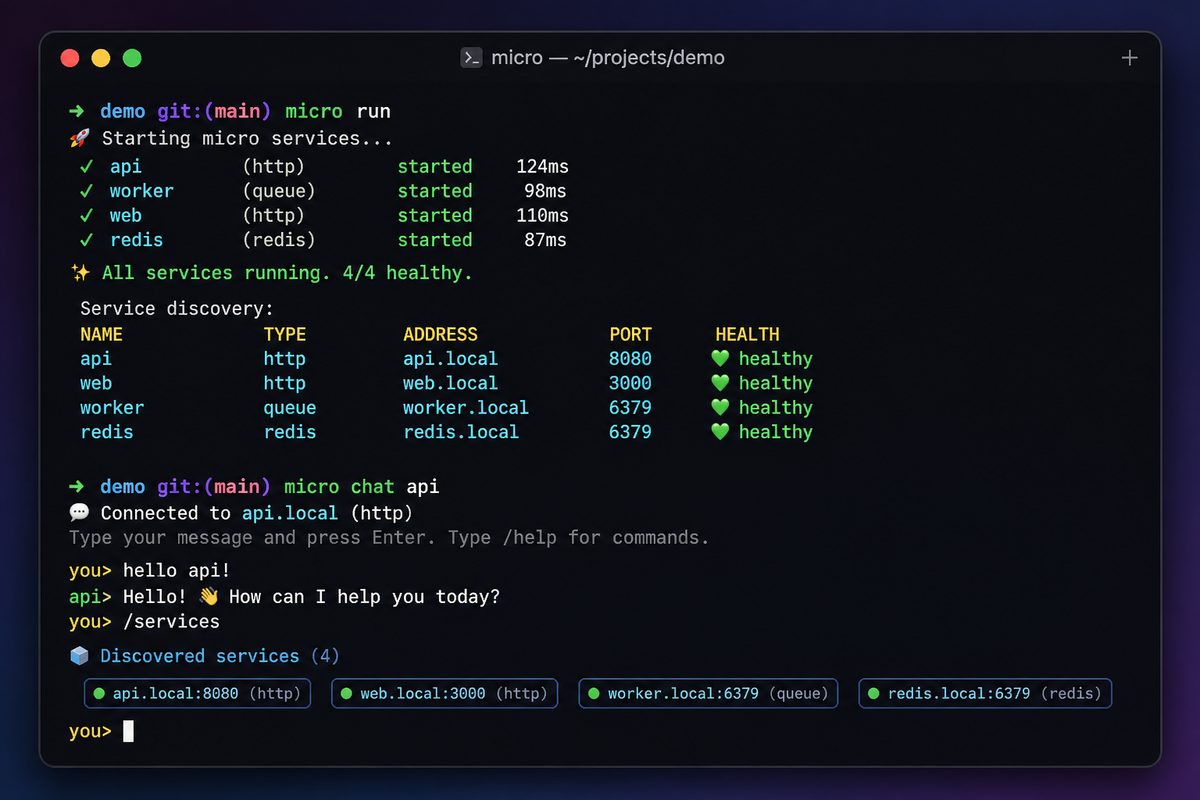
We introduced micro chat — a CLI that lets you talk to your microservices through an LLM. People asked how it works under the hood. The honest answer: it’s about 150 lines, and there’s no magic. This post walks through every piece so you can build your own — for go-micro, for your own framework, or for whatever services you have.
By the end, you’ll understand the four moving parts of any tool-calling agent and have working code you can adapt.
The Problem
You have services. They do things — create users, send emails, query orders. You want to ask for those things in plain English and have the right service called automatically.
An LLM can do the reasoning (“the user wants to send an email, so call the email service”), but it needs three things from you:
- A list of tools it can call, with descriptions and parameters
- A way to execute a tool when it picks one
- Conversation memory so follow-up questions make sense
That’s the whole problem. Let’s solve each part.
Part 1: Discover the Tools
The LLM needs to know what’s available. In go-micro, every service registers its endpoints with the registry, including request types and field metadata. We turn that into a tool list:
tools := model.NewTools(reg, model.ToolClient(client))
discovered, err := tools.Discover()
discovered is a []model.Tool — one per service endpoint. Each has a name (users_Users_Create), a description (from the handler’s doc comment), and a parameter schema (from the request struct’s fields).
If you’re not using go-micro, this is the part you’d write yourself: enumerate your functions/endpoints and build a list of {name, description, parameters}. The registry just makes it automatic.
Part 2: Create the Model
m := model.New("anthropic",
    model.WithAPIKey(apiKey),
    model.WithTools(tools),
)
Two things happen here. model.New picks the provider (Anthropic, OpenAI, Gemini, etc. — all the same interface). model.WithTools(tools) wires up the execution side: when the model says “call users_Users_Create with these args,” the handler routes it to the right RPC and returns the result.
That’s the second piece — the way to execute. The Tools object does double duty: Discover() builds the list, and its handler executes the calls.
Part 3: Track the Conversation
hist := model.NewHistory(50)
History is a plain message accumulator with a size limit. It’s not magic — it’s a []Message with Add, Messages, and Reset. You add the user’s prompt and the model’s reply after each turn, and pass the accumulated messages back on the next call. That’s how follow-up questions work.
Part 4: The Loop
Now wire it together. The core of ask is just this:
func ask(ctx context.Context, m model.Model, hist *model.History, tools []model.Tool, prompt string) error {
    hist.Add("user", prompt)

    resp, err := m.Generate(ctx, &model.Request{
        Prompt:       prompt,
        SystemPrompt: systemPrompt,
        Tools:        tools,
        Messages:     hist.Messages(),
    })
    if err != nil {
        return err
    }

    if resp.Reply != "" {
        hist.Add("assistant", resp.Reply)
        fmt.Println(resp.Reply)
    }
    for _, tc := range resp.ToolCalls {
        args, _ := json.Marshal(tc.Input)
        fmt.Printf("  → called %s(%s)\n", tc.Name, args)
    }
    if resp.Answer != "" {
        hist.Add("assistant", resp.Answer)
        fmt.Println(resp.Answer)
    }
    return nil
}
Read it top to bottom:
- Record the prompt in history
- Call the model with the prompt, the system instruction, the tool list, and the conversation so far
- Print the reply and record it
- Show which tools were called (the model decides, the handler executes — we just report)
- Print the final answer after tools ran
The model’s Generate does the heavy lifting: it decides whether to call tools, the handler (from step 2 of setup) executes them, and the model produces a final answer. We never wrote any “if user wants email, call email service” logic. The LLM does that reasoning from the tool descriptions.
The REPL
Wrap ask in a read-loop and you have a chat:
scanner := bufio.NewScanner(os.Stdin)
for {
    fmt.Print("> ")
    if !scanner.Scan() {
        return nil
    }
    line := strings.TrimSpace(scanner.Text())
    switch line {
    case "":
        continue
    case "exit", "quit":
        return nil
    case "reset":
        hist.Reset()
        continue
    default:
        if err := ask(ctx, m, hist, discovered, line); err != nil {
            fmt.Printf("error: %v\n", err)
        }
    }
}
That’s it. Discover tools, create a model, track history, loop. Four pieces.
Why It’s So Short
The brevity comes from the framework doing the right things:
- Services are self-describing. Doc comments become tool descriptions. The
@exampletag gives the LLM a usage hint. You don’t hand-write tool schemas.
// CreateUser creates a new user account.
// @example {"name": "Alice", "email": "alice@example.com"}
func (h *Users) CreateUser(ctx context.Context, req *pb.CreateRequest, rsp *pb.CreateResponse) error {
    // ...
}
Providers are uniform. Anthropic, OpenAI, Gemini, Groq, Mistral, Together, Atlas Cloud — all behind one
model.Modelinterface. Switching is one string.Execution is wired automatically.
model.WithTools(tools)connects tool calls to RPC dispatch. No glue.
If you stripped go-micro out and built this against raw HTTP services, you’d add maybe 50 lines: a function to enumerate your endpoints and a function to call one by name. Everything else stays the same.
Make It Yours
The 150 lines are a starting point. Ideas for extending it:
- Add a confirmation step before destructive tool calls (“This will delete 3 records. Continue?”)
- Log every tool call to an audit trail or your observability stack
- Filter the tool list so the agent only sees certain services
- Swap the REPL for a Slack bot — same
ask, different input source - Pre-load a system prompt with domain knowledge about your services
- Trigger it from events instead of stdin — that’s exactly what
micro flowdoes
The point of micro chat was never to be a finished product. It’s a demonstration that turning services into an agent is a small, comprehensible amount of code — not a framework you have to learn, just a pattern you can copy.
Try It, Then Read It
go install go-micro.dev/v5/cmd/micro@latest
micro run                                          # start your services
ANTHROPIC_API_KEY=sk-ant-... micro chat --provider anthropic
The full source is cmd/micro/chat/chat.go — about 220 lines including flags, help text, and provider env-var handling. The agent core is the ~40 lines you saw above.
Build your own. It’s more approachable than you think.
Tools as Services: Why Go Micro Was Always Ready for AI
When people see micro chat or the MCP gateway, they assume we built something new. We didn’t. We exposed something that was already there.
Go Micro has always treated services as self-describing, addressable units. Every service registers its name, endpoints, and request types with the registry. Every endpoint is callable through a standardised path. The only thing that changed is who’s calling.
The Pattern
Go Micro was built on one idea: a service should be accessible the same way regardless of how you access it.
When we launched in 2015, that meant:
HTTP API Gateway — every service was reachable via /{service}/{endpoint}:
POST /users/Users.Create {"name": "Alice"}
No routing configuration. No URL mapping. You add a handler, it’s accessible. The gateway reads the registry and routes.
Web Dashboard — every service appeared as a page. Endpoints were browseable, callable from the UI. Same registry, different presentation.
CLI — every service became a command:
micro call users Users.Create '{"name": "Alice"}'
Same registry, same endpoint, different interface. The service didn’t change. The access layer changed.
The Evolution to AI
MCP is just the next access layer.
MCP Gateway — every service is an AI-callable tool:
{
  "name": "users_Users_Create",
  "description": "Create a new user account",
  "parameters": {
    "name": {"type": "string"},
    "email": {"type": "string"}
  }
}
Same registry. Same endpoints. Same service code. The gateway reads the registry, translates each endpoint into a tool definition, and exposes it over the Model Context Protocol. Claude, ChatGPT, or any MCP-compatible agent can discover and call your services — without you writing a single line of AI-specific code.
micro chat — every service is something you can talk to:
> create a user named Alice with email alice@example.com
  → users_Users_Create({"name":"Alice","email":"alice@example.com"})
Done. User Alice created.
Same registry. Same endpoints. The LLM reads the tool descriptions and decides what to call. The service doesn’t know it’s being called by an AI.
Why This Works
The reason the AI integration was straightforward — not months of work, not a rewrite — is that Go Micro services were already:
- Named and discoverable. The registry knows what’s running and where.
- Self-describing. Endpoints have typed request/response schemas. Doc comments on handlers become descriptions.
- Uniformly callable. The client makes RPC calls by service name and endpoint name. It doesn’t matter if the caller is an HTTP gateway, a CLI, or an LLM.
When we added MCP, we didn’t add a new way to call services. We added a new way to discover them — one that LLMs understand. The calling mechanism was already there.
When we added micro chat, we didn’t build an agent framework. We connected the existing tool discovery to an existing model interface and added a for-loop. The whole thing is ~150 lines.
The Access Layer Pattern
Here’s the mental model:
Service (Go handler + registry metadata)
  ↓ accessed via
API Gateway       →  HTTP clients
Web Dashboard     →  browsers
CLI               →  developers
MCP Gateway       →  AI agents
micro chat        →  natural language
Each layer does the same thing: read the registry, present the services in a format the consumer understands, and route calls back to the service. The service is oblivious. It just handles requests.
This is why we never needed an “agent package” or an “AI framework.” The framework already had the right shape. Services were always tools — they just didn’t know it yet.
What Doc Comments Buy You
The one thing that changed: documentation became functional.
In the API gateway era, doc comments were nice to have. In the MCP era, they’re what the LLM reads to decide which tool to call:
// CreateUser creates a new user account with the given name and email.
// Returns the created user with a generated ID.
// @example {"name": "Alice", "email": "alice@example.com"}
func (h *Users) CreateUser(ctx context.Context, req *pb.CreateRequest, rsp *pb.CreateResponse) error {
The comment becomes the tool’s description. The @example becomes the LLM’s hint for what arguments look like. Good comments mean the AI picks the right tool. Bad comments mean it guesses.
This is a genuine incentive to write documentation — not because a human might read it, but because a machine will read it and make decisions based on it.
What’s Next
The pattern extends beyond what we’ve built:
micro registry listalready shows you what’s running. An agent could use the same data to reason about service topology.micro broker subscribestreams events. An agent could monitor events and react — which is whatmicro flowdoes.micro storepersists data. An agent could read and write state as part of a multi-step workflow.
Every framework primitive that has a CLI command could also be a tool. The registry, broker, store, and config interfaces are all accessible from the terminal and from code. Making them accessible to AI agents is the same step we’ve already taken for services.
The thesis hasn’t changed since 2015: build the service once, access it everywhere. The “everywhere” just expanded to include AI.
From Chat to Flows: What If Your Services Could Orchestrate Themselves?
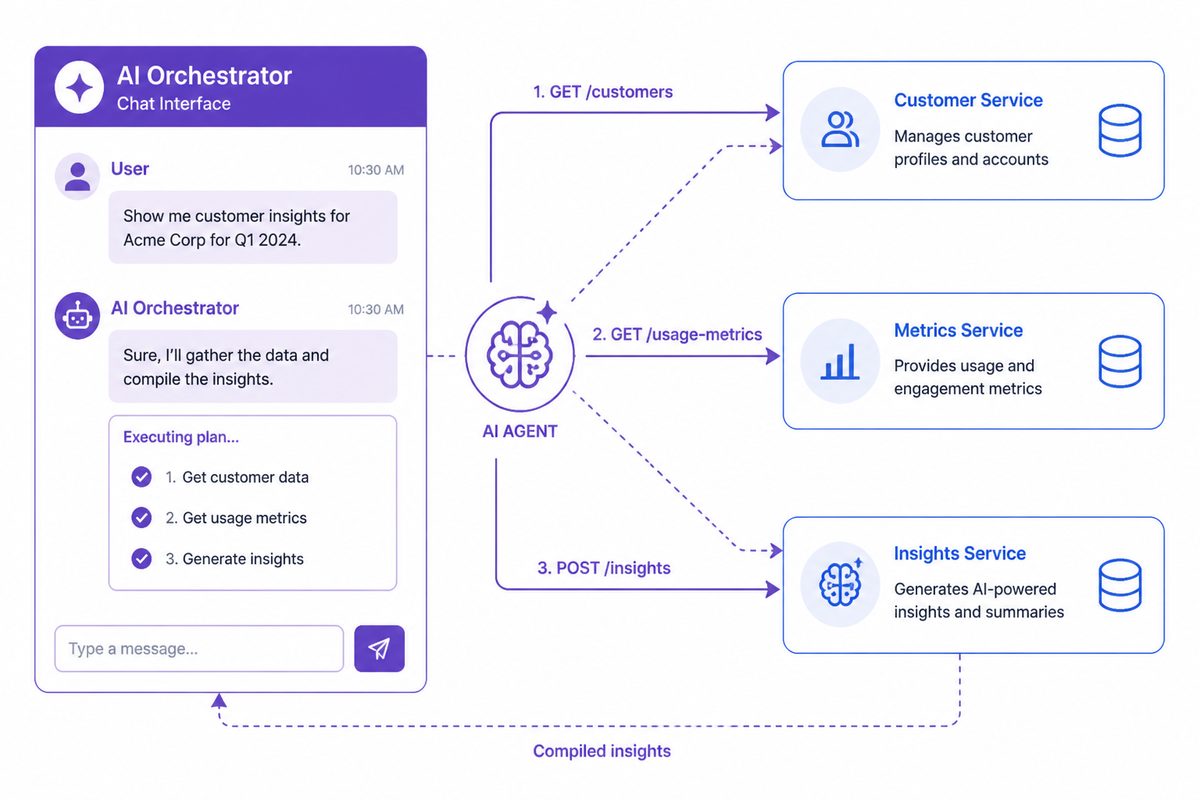
We shipped micro chat recently — an interactive terminal where you talk to your services through an LLM. You say “list all users over 30 and send each a welcome email,” and the model figures out which services to call, in what order, with what arguments.
It works. But it’s interactive and ephemeral. You type a prompt, get a result, move on. What if you could save that prompt as a flow and trigger it from an event?
This post explores that idea. We’re not shipping anything yet — we’re thinking out loud about where the intersection of microservices, MCP, and LLMs could go.
What We Have Today
Go Micro already has the building blocks:
- Services as tools: every endpoint is discoverable via MCP with typed schemas
model.Tools: programmatic discovery and execution —model.DiscoverTools(reg)gives you the tool list,model.NewTools(reg).Handler()executes RPCsmodel.History: multi-turn conversation state so the LLM has context across stepsmicro chat: the interactive agent loop that ties it together- Broker/events: pub/sub for async communication between services
The gap is between “I can interactively ask an LLM to orchestrate my services” and “I can define a persistent, event-driven workflow that does it automatically.”
The Flow Concept
Imagine you could define a flow like this:
name: onboard-user
trigger: events.user.created
prompt: |
  A new user was just created: {{.event.data}}.
  1. Send them a welcome email via the email service
  2. Create a default workspace via the workspace service
  3. If they're on an enterprise plan, assign them to the enterprise onboarding queue
  4. Log everything via the audit service
When a user.created event fires, the flow engine:
- Discovers available services from the registry
- Builds the tool list from their endpoints
- Feeds the event data + prompt to an LLM
- The LLM decides which tools to call, in what order, with what arguments
- The engine executes the RPCs, feeds results back, and lets the LLM continue until done
- The flow result is logged/stored for observability
This is essentially micro chat but triggered by an event instead of a human, with the prompt pre-defined instead of typed interactively.
How It Compares to Traditional Orchestration
| Step Functions / Temporal | LLM Flow | |
|---|---|---|
| Definition | State machine in JSON/YAML | Natural language prompt |
| Branching | Explicit if/else states | LLM decides based on context |
| Error handling | Retry policies, catch blocks | “If this fails, try X instead” |
| New service | Update the state machine | LLM discovers it automatically |
| Determinism | 100% reproducible | Probabilistic (same prompt, slightly different execution) |
| Cost | Compute only | Compute + LLM tokens per flow |
| Debugging | Step-by-step state trace | Conversation log |
The tradeoff is clear: traditional orchestration is deterministic but rigid. LLM flows are flexible but probabilistic.
For a payment processing pipeline, you want Step Functions. For “onboard this user and do whatever makes sense based on their plan,” an LLM flow could be genuinely better — it adapts to new services without code changes.
What This Would Look Like in Go Micro
The simplest version is just micro chat with a saved prompt and a trigger:
flow := model.NewFlow("onboard-user",
    model.WithTrigger("events.user.created"),
    model.WithPrompt(`A new user was created: {{.Data}}.
        Send welcome email, create workspace,
        assign to enterprise queue if enterprise plan.`),
    model.WithProvider("atlascloud"),
    model.WithAPIKey(key),
)

// Register with the service
service := micro.NewService("flow-runner")
flow.Register(service)
service.Run()
Under the hood, Flow would:
- Subscribe to the broker topic
- On each event, create an
model.Historywith the prompt + event data - Call
m.Generate()with history messages until the LLM stops requesting tool calls - Log the full conversation for audit
The building blocks already exist. model.History manages the conversation. model.Tools discovers and executes services. The broker delivers events. A Flow just connects them.
Why We Haven’t Built It Yet
Three honest reasons:
1. Non-determinism is dangerous for workflows. If you run the same flow twice with the same input, the LLM might call tools in a different order or skip a step. For many workflows, that’s a bug, not a feature. We’d need guardrails: required steps, validation, output schemas.
2. Cost unpredictability. Each flow execution costs LLM tokens. A complex flow with 5 tool calls might cost $0.01. At 10,000 events per day, that’s $100/day just for orchestration. Traditional orchestrators cost effectively nothing per execution.
3. Scope creep. Go Micro is a microservices framework, not a workflow engine. Adding persistent flow state, retry logic, dead letter queues, and flow versioning is a big commitment. Temporal exists. Step Functions exist. We should be honest about where the framework ends and the platform begins.
Where It Makes Sense
Despite those caveats, there are use cases where this is genuinely better than traditional orchestration:
Ops automation: “When a service health check fails, investigate by checking logs, recent deployments, and related services, then post a summary to Slack.” This is inherently fuzzy — you don’t know which tools you’ll need until you see what’s wrong.
Customer support flows: “A customer filed a ticket about a billing issue. Look up their account, check recent invoices, and draft a response.” The flow adapts to what it finds.
Data pipeline glue: “New CSV uploaded. Parse it, validate the schema, create records in the appropriate service, and report any errors.” The LLM handles schema variations that would break a rigid pipeline.
Development workflows: “Run the test suite, analyze failures, check if they’re flaky, and create issues for real failures.” This is
micro chatfor CI.
What You Can Do Today
You don’t need a flow engine to get most of this value. The model.Tools package already gives you programmatic access:
tools := model.NewTools(service.Registry())
discovered, _ := tools.Discover()

m := model.New("atlascloud",
    model.WithAPIKey(key),
    model.WithTools(tools),
)

hist := model.NewHistory(50)

// React to an event
broker.Subscribe("user.created", func(e broker.Event) error {
    prompt := fmt.Sprintf("New user created: %s. Send welcome email and create workspace.", string(e.Message().Body))
    resp, _ := m.Generate(ctx, &model.Request{Prompt: prompt, SystemPrompt: "You are a service orchestrator.", Tools: discovered, Messages: hist.Messages()})
    log.Infof("Flow result: %s", resp.Answer)
    hist.Reset() // fresh history for next event
    return nil
})
That’s ~15 lines. No flow engine, no YAML, no new abstractions. Just a broker subscription that feeds events into the LLM with your services as tools.
Update: We Built It
After publishing this post, we went ahead and built the ai/flow package. It wraps the pattern above into a reusable primitive:
import "go-micro.dev/v5/ai/flow"

f := flow.New("onboard-user",
    flow.Trigger("events.user.created"),
    flow.Prompt("New user: {{.Data}}. Send welcome email and create workspace."),
    flow.Provider("anthropic"),
    flow.APIKey(key),
)

f.Register(service.Registry(), service.Options().Broker, service.Client())
service.Run() // flow listens and reacts to events
Under the hood, each event triggers a fresh model.History + tools.Discover + model.Generate cycle. The flow records every execution with timing, tool calls, and errors.
There’s also a CLI:
# Subscribe to events and react
micro flow run --trigger events.user.created \
  --prompt "New user: {{.Data}}. Send welcome email." \
  --provider anthropic

# One-shot execution
micro flow exec --prompt "List all users and count them" \
  --provider anthropic
The output is JSON — flow name, prompt, tool calls made, reply, answer, duration. Pipe it to jq or log it.
We kept it deliberately minimal: no persistent state, no retry policies, no YAML config. Each event gets a fresh history, the LLM decides what to do, and the result is recorded. If you need Temporal-grade durability, use Temporal. But for “when X happens, let the LLM figure out what services to call” — this is enough.
The questions from the original post still stand. We’d love feedback on what guardrails people need and whether this should grow or stay small.
The Bigger Picture
The thesis behind Go Micro’s AI-native direction is that services should be composable by agents, not just by code. MCP made services discoverable. model.Tools made them callable. micro chat made them interactive. Flows would make them orchestratable.
Each layer builds on the previous one. And at each layer, the question is the same: does this belong in the framework, or is it better left to the user? So far, we’ve been conservative — model.Tools is 150 lines, History is 80, micro chat is 170. Small, composable building blocks rather than a big orchestration framework.
We think that’s the right approach. But we’re watching to see if the community says otherwise.
micro chat: Talk to Your Services
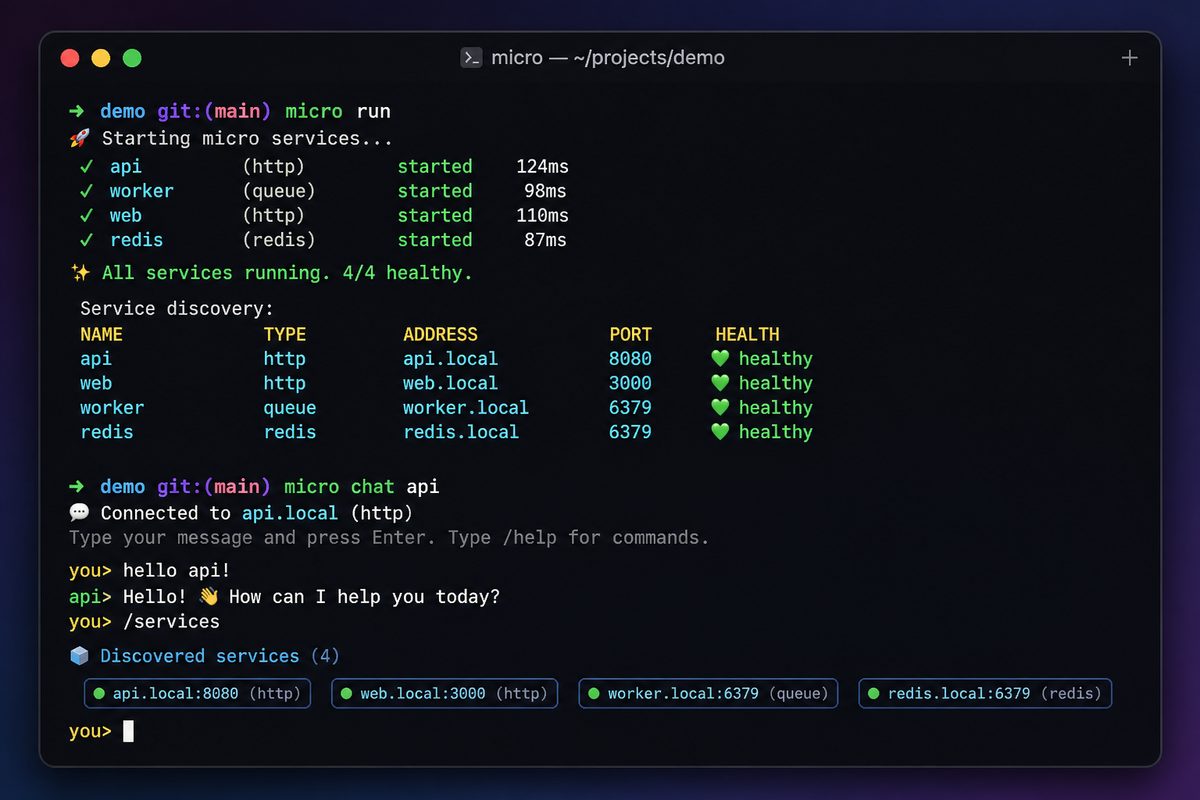
We built micro chat — a CLI that lets you talk to your microservices through an LLM. It discovers every service in the registry, exposes each endpoint as a tool, and lets a model decide which RPCs to call based on what you ask.
ANTHROPIC_API_KEY=sk-ant-... micro chat --provider anthropic

> list all users
  → called users_Users_List({})
There are 3 users: Alice, Bob, and Charlie.

> send a welcome email to Alice
  → called email_Email_Send({"to":"alice@example.com","template":"welcome"})
Done, welcome email sent to Alice.

> how many orders were placed this week?
  → called orders_Orders_Count({"since":"2026-05-22"})
There were 47 orders placed this week.
No glue code. No API wrappers. No tool definitions. You write normal Go services with doc comments, and micro chat turns them into things an LLM can call.
How It Works
Three building blocks, stacked:
1. model.Tools discovers services from the registry and creates typed tool definitions:
tools := model.NewTools(service.Registry())
discovered, _ := tools.Discover()
// discovered = []model.Tool with name, description, parameters for each endpoint
2. model.History tracks the conversation across turns so the LLM has context:
hist := model.NewHistory(50)
resp, _ := m.Generate(ctx, &model.Request{Prompt: "list all users", Tools: discovered, Messages: hist.Messages()})
// Next prompt remembers this exchange
3. model.Model calls the LLM. Seven providers, same interface:
m := model.New("anthropic", model.WithAPIKey(key))
// or: "openai", "gemini", "atlascloud", "groq", "mistral", "together"
micro chat just wires these together with a REPL loop. The whole command is ~170 lines.
Multi-Turn Conversations
micro chat remembers context across turns. You can ask follow-up questions without repeating yourself:
> list all users
There are 3 users: Alice (admin), Bob (user), Charlie (user).

> which ones are admins?
Alice is the only admin.

> change Bob's role to admin too
  → called users_Users_Update({"id":"bob-123","role":"admin"})
Done. Bob is now an admin.
Type reset to clear the conversation history and start fresh. The history limit is 50 messages by default — old messages are dropped FIFO when you hit the limit.
Using It
Install or update the CLI:
go install go-micro.dev/v5/cmd/micro@latest
Start your services:
micro run
Chat with them:
# With Anthropic Claude
ANTHROPIC_API_KEY=sk-ant-... micro chat --provider anthropic

# With OpenAI
OPENAI_API_KEY=sk-... micro chat --provider openai

# With Atlas Cloud
ATLASCLOUD_API_KEY=... micro chat --provider atlascloud

# With any provider via base URL
micro chat --provider openai --base_url https://api.groq.com/openai --api_key $KEY
Single Prompt Mode
For scripting or one-shot queries, use --prompt:
micro chat --provider anthropic --prompt "list all services"
Environment Variables
If you don’t want to pass flags every time:
export MICRO_AI_PROVIDER=anthropic
export ANTHROPIC_API_KEY=sk-ant-...
micro chat
What Makes It Work
The key insight is that go-micro services are already described. The registry stores endpoint names, request/response types, and field metadata. Doc comments on handlers become tool descriptions. @example tags provide usage hints to the LLM.
// CreateUser creates a new user account with the given details.
// @example {"name": "Alice", "email": "alice@example.com", "role": "admin"}
func (h *Users) CreateUser(ctx context.Context, req *pb.CreateRequest, rsp *pb.CreateResponse) error {
    // ...
}
The model.Tools package reads all of this from the registry and translates it into the tool format that LLMs understand. The better your doc comments, the better the LLM uses your services.
Using It Programmatically
micro chat is a CLI, but the building blocks work in your own code:
import (
    "go-micro.dev/v5/ai"

    _ "go-micro.dev/v5/ai/anthropic"
)

tools := model.NewTools(service.Registry())
discovered, _ := tools.Discover()

m := model.New("anthropic",
    model.WithAPIKey(key),
    model.WithTools(tools),
)

hist := model.NewHistory(50)
resp, _ := m.Generate(ctx, &model.Request{Prompt: userInput, Tools: discovered, Messages: hist.Messages()})
fmt.Println(resp.Answer)
This is the same code micro chat runs internally. Use it to add LLM-powered orchestration to any service.
What’s Next
micro chat is the interactive version. micro flow is the event-driven version — same building blocks, but triggered by broker events instead of human input. See the flows blog post for that story.
Both are experiments in what happens when services are composable by agents, not just by code. The framework provides the building blocks. You decide how to use them.
Atlas Cloud Sponsors Go Micro: 300+ AI Models, One Integration
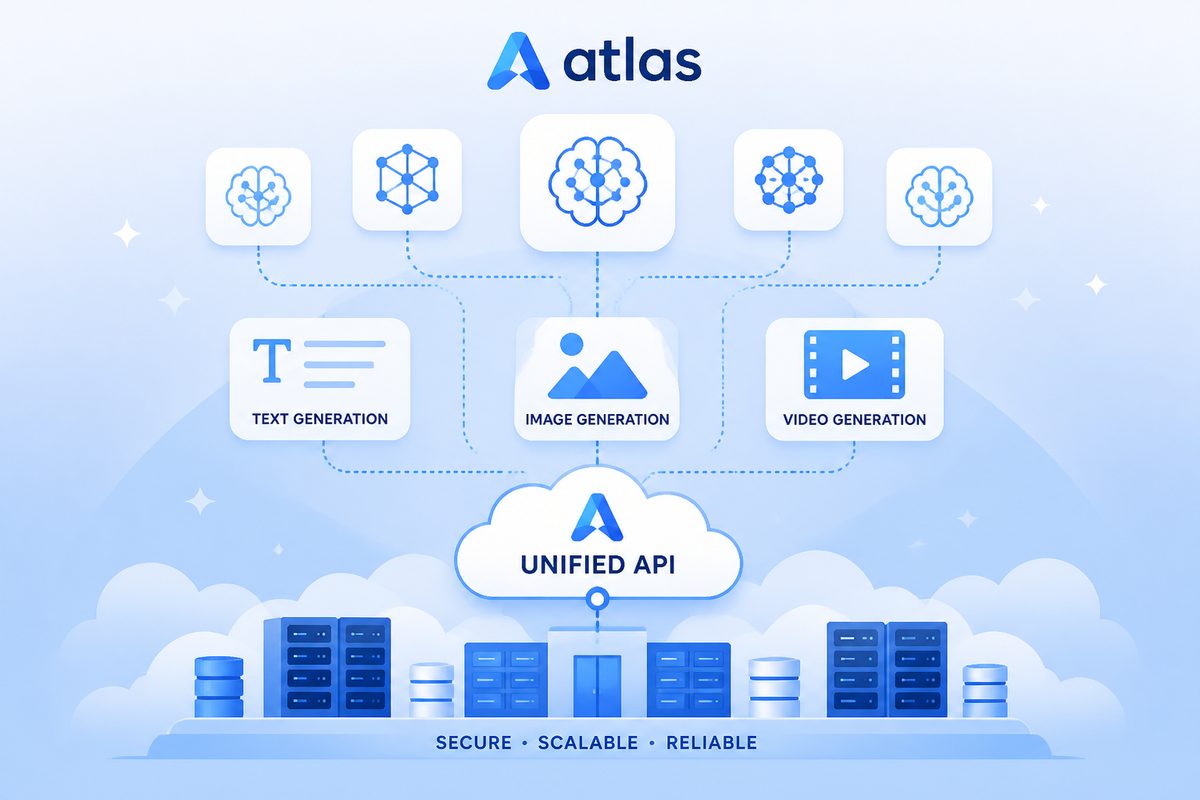
We’re excited to announce that Atlas Cloud is sponsoring Go Micro as an official AI provider partner. Atlas Cloud is now a first-class provider in the ai package, giving Go Micro users access to 300+ models across text, image, and video through a single integration.
The Sponsorship
Atlas Cloud is an enterprise AI infrastructure platform that provides a unified API for LLM, image, and video generation. They partner with OpenRouter and ComfyUI, offer SOC 2 and HIPAA compliance, and run a custom inference engine (Atlas Photon) with FP4 quantization for fast, cost-effective inference.
Their sponsorship supports Go Micro’s continued development as an AI-native microservices framework. Like Anthropic’s Claude Max sponsorship that accelerated our MCP integration, Atlas Cloud’s support helps us maintain and expand the framework for the growing community of developers building AI-powered services.
What Atlas Cloud Brings
Atlas Cloud’s platform stands out for three reasons:
Breadth of models. Over 300 curated models including DeepSeek, Qwen, GLM, Kimi for text; GPT Image, Flux, ERNIE for images; and Seedance, Kling, Wan, Veo for video. New SOTA models are deployed on day zero of release.
OpenAI-compatible API. Atlas Cloud exposes a /v1/chat/completions endpoint that’s a drop-in replacement for OpenAI. If you’re already using the OpenAI SDK, switching to Atlas Cloud is a one-line change — just swap the base URL.
Enterprise-ready. SOC 2 certified, HIPAA compliant, pay-as-you-go pricing with no minimums. Competitive rates, often 48-54% below comparable providers.
The Integration
Atlas Cloud is available in Go Micro’s ai package as a registered provider. Here’s the quick start:
import (
    "go-micro.dev/v5/ai"
    _ "go-micro.dev/v5/ai/atlascloud"
)

m := model.New("atlascloud",
    model.WithAPIKey("your-atlas-cloud-key"),
)

resp, err := m.Generate(ctx, &model.Request{
    Prompt:       "Explain microservices in one paragraph",
    SystemPrompt: "You are a helpful assistant",
})
fmt.Println(resp.Reply)
The default model is llama-3.3-70b and the default base URL is https://api.atlascloud.ai. Both are configurable:
m := model.New("atlascloud",
    model.WithAPIKey("your-key"),
    model.WithModel("deepseek-v4"),
    model.WithBaseURL("https://api.atlascloud.ai"),
)
Image Generation
Atlas Cloud’s image generation models are available through Go Micro’s ImageModel interface. Generate images from text prompts with the same pattern as text generation:
ig := model.NewImage("atlascloud",
    model.WithAPIKey("your-key"),
)

resp, err := ig.GenerateImage(ctx, &model.ImageRequest{
    Prompt: "A futuristic city skyline at sunset, digital art",
    Size:   "1024x1024",
})

// resp.Images[0].URL contains the generated image
fmt.Println(resp.Images[0].URL)
Atlas Cloud supports models like gpt-image-1, flux-2, and more from their 300+ model catalog. The same ImageModel interface works with OpenAI too — swap the provider name and your code stays the same.
Tool Calling
Atlas Cloud supports OpenAI-compatible function calling, which means it works with Go Micro’s tool execution flow. Services registered in the registry become tools that the model can call:
tools := model.NewTools(service.Registry())
discovered, _ := tools.Discover()

m := model.New("atlascloud",
    model.WithAPIKey(key),
    model.WithTools(tools),
)

resp, _ := m.Generate(ctx, &model.Request{
    Prompt: "List all users and send a welcome email to each",
    Tools:  discovered,
})
The model discovers your services, picks the right endpoints, and the ToolHandler executes the RPCs. This works identically to how it works with Anthropic or OpenAI — the provider is swappable.
micro chat
Atlas Cloud works out of the box with the micro chat CLI:
ATLASCLOUD_API_KEY=your-key micro chat --provider atlascloud
> list all orders from the last week
> create a new user named Alice with role admin
micro run
When running micro run or micro server, Atlas Cloud is auto-detected if you set the base URL:
export MICRO_AI_API_KEY=your-atlas-cloud-key
export MICRO_AI_BASE_URL=https://api.atlascloud.ai
micro run
The agent playground at /agent will use Atlas Cloud for all LLM calls.
Provider Lineup
With Atlas Cloud, Go Micro now supports seven AI providers:
| Provider | API Format | Default Model |
|---|---|---|
| Anthropic | Native (Messages API) | claude-sonnet-4-20250514 |
| Google Gemini | Native (generateContent) | gemini-2.5-flash |
| OpenAI | Native (chat/completions) | gpt-4o |
| Atlas Cloud | OpenAI-compatible | llama-3.3-70b |
| Groq | OpenAI-compatible | llama-3.3-70b-versatile |
| Mistral | OpenAI-compatible | mistral-large-latest |
| Together AI | OpenAI-compatible | Llama-3.3-70B-Instruct-Turbo |
All providers implement the same model.Model interface and work with model.Tools, micro chat, and the agent playground.
Getting Started
- Sign up at atlascloud.ai and get an API key
- Import the provider:
import _ "go-micro.dev/v5/ai/atlascloud"
- Use it in your service, the CLI, or the agent playground
See the full Atlas Cloud Integration Guide for detailed examples, environment variable configuration, and model selection.
What This Means
Go Micro’s position is that every microservice should be agent-accessible, and the model powering the agent should be your choice. Atlas Cloud’s 300+ models mean developers aren’t locked into a single provider or pricing tier. A service built with Go Micro works with Claude, GPT-4, Gemini, Llama, DeepSeek, or any of the hundreds of models Atlas Cloud offers — same code, different import.
We’re grateful to Atlas Cloud for their sponsorship and excited to have them as part of the Go Micro ecosystem.
Go Micro is an open source framework for distributed systems development. Star us on GitHub.
Thanks to Atlas Cloud for sponsoring Go Micro and supporting the open source community.
Your Microservices Are Already an AI Platform
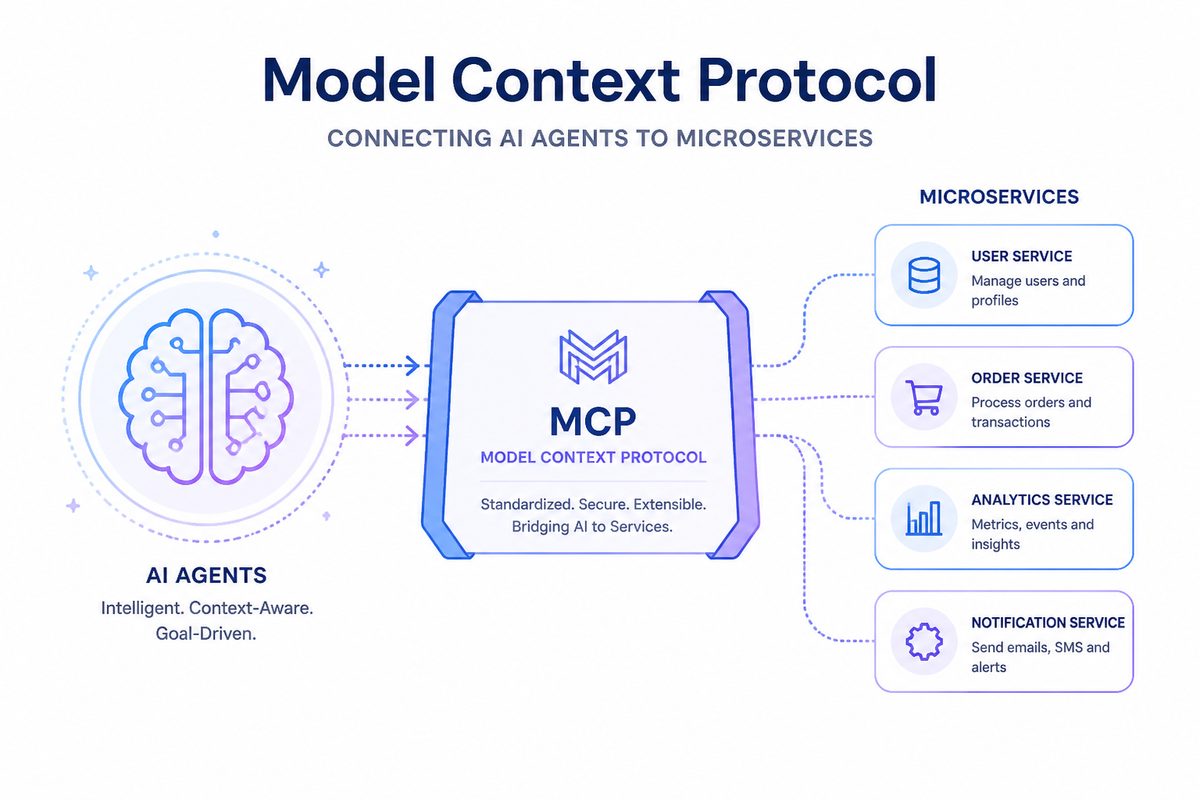
Here’s the pitch: you have microservices. They already have well-defined endpoints, typed request/response schemas, and service discovery. An AI agent needs the same things — a list of tools with input schemas and descriptions. The gap between “microservice endpoint” and “AI tool” is surprisingly small.
With Go Micro + MCP, that gap is zero lines of code.
The Setup: A Blogging Platform
We’ll use a blogging platform as our example — a service built on Go Micro with four domains:
- Users — signup, login, profiles
- Posts — blog posts with markdown, tags, link previews
- Comments — threaded comments on posts
- Mail — internal messaging
A Note on Architecture
Go Micro has always been a framework for building multi-service, multi-process systems — each service runs as its own binary, communicates over RPC, and is independently deployable. If that’s what you’re after, Go Micro supports it directly.
For this walkthrough, we take a different approach: a modular monolith. All four domains live in a single process. This is a perfectly valid starting point — you get the clean separation of handler interfaces without the operational overhead of multiple services. And because Go Micro’s handler registration works the same way in both models, you can break these out into separate services later as your team or requirements grow. No rewrite needed.
One Line to Agent-Enable Everything
service := micro.NewService("platform",
    micro.Address(":9090"),
    mcp.WithMCP(":3001"),  // This is it
)

service.Handle(users)
service.Handle(posts)
service.Handle(&Comments{})
service.Handle(&Mail{})
That mcp.WithMCP(":3001") starts an MCP gateway that:
- Discovers all registered handlers on the service
- Converts Go method signatures into JSON tool schemas
- Extracts descriptions from doc comments
- Serves it all as MCP-compliant tool definitions
No wrapper code. No API translation layer. No agent-specific handlers.
What the Agent Sees
When an agent connects to http://localhost:3001/mcp/tools, it gets a tool list like:
{
  "tools": [
    {
      "name": "platform.Users.Signup",
      "description": "Signup creates a new user account and returns a session token.",
      "inputSchema": {
        "type": "object",
        "properties": {
          "name": {"type": "string", "description": "Username (required, 3-20 characters)"},
          "password": {"type": "string", "description": "Password (required, minimum 6 characters)"}
        }
      }
    },
    {
      "name": "platform.Posts.Create",
      "description": "Create publishes a new blog post.",
      "inputSchema": {
        "type": "object",
        "properties": {
          "title": {"type": "string", "description": "Post title (required)"},
          "content": {"type": "string", "description": "Post body in markdown (required)"},
          "author_id": {"type": "string", "description": "Author's user ID (required)"},
          "author_name": {"type": "string", "description": "Author's display name (required)"}
        }
      }
    }
  ]
}
The agent doesn’t need to know it’s talking to microservices. It just sees tools.
A Real Agent Workflow
Here’s what happens when you tell an agent: “Sign up a new user called carol, write a post about Go concurrency, tag it, and send alice a mail about it.”
The agent figures out the sequence on its own:
Step 1: Sign up
→ platform.Users.Signup {"name": "carol", "password": "welcome123"}
← {"user": {"id": "user-3", "name": "carol"}, "token": "abc123..."}
Step 2: Write the post (using the returned user ID)
→ platform.Posts.Create {
    "title": "Go Concurrency Patterns",
    "content": "Go's concurrency model is built on goroutines and channels...",
    "author_id": "user-3",
    "author_name": "carol"
  }
← {"post": {"id": "post-2", "title": "Go Concurrency Patterns", ...}}
Step 3: Tag it (using the returned post ID)
→ platform.Posts.TagPost {"post_id": "post-2", "tag": "golang"}
→ platform.Posts.TagPost {"post_id": "post-2", "tag": "concurrency"}
Step 4: Notify alice
→ platform.Mail.Send {
    "from": "carol",
    "to": "alice",
    "subject": "New post: Go Concurrency Patterns",
    "body": "Hi Alice, I just published a post about Go concurrency..."
  }
No orchestration engine. No workflow definition. The agent reads the tool descriptions, understands the data flow (signup returns a user ID, create returns a post ID), and chains the calls naturally.
Why Doc Comments Matter
The agent’s ability to chain these calls correctly comes from good descriptions. Compare:
// Bad: agent doesn't know what this returns or when to use it
func (s *Users) Signup(ctx context.Context, req *SignupRequest, rsp *SignupResponse) error {

// Good: agent knows the purpose, constraints, and return value
// Signup creates a new user account and returns a session token.
// The username must be unique. Use the returned token for authenticated operations.
//
// @example {"name": "alice", "password": "secret123"}
func (s *Users) Signup(ctx context.Context, req *SignupRequest, rsp *SignupResponse) error {
The @example tag is especially valuable — it gives the agent a concrete input to work from, reducing errors and hallucinated field names.
Similarly, description struct tags on request/response fields tell the agent what each parameter means:
type CreatePostRequest struct {
    Title      string `json:"title" description:"Post title (required)"`
    Content    string `json:"content" description:"Post body in markdown (required)"`
    AuthorID   string `json:"author_id" description:"Author's user ID (required)"`
    AuthorName string `json:"author_name" description:"Author's display name (required)"`
}
Adding MCP to Existing Services
This demo runs everything in one process, but if you already have Go Micro services running as separate processes, you have two additional options beyond the in-process approach shown above:
Option 1: Standalone gateway binary
Point a gateway at your service registry and it discovers all running services automatically:
micro-mcp-gateway --registry consul:8500 --address :3001
Option 2: Sidecar in your deployment
# docker-compose.yml
services:
  blog:
    image: myorg/blog
  mcp-gateway:
    image: micro/mcp-gateway
    environment:
      - REGISTRY=consul:8500
    ports:
      - "3001:3001"
Both discover services from the registry and expose them as MCP tools. Zero changes to your service code.
Production Considerations
The MCP gateway includes everything you need for production:
- Auth & Scopes — per-tool permissions with JWT tokens
- Rate Limiting — token bucket per tool
- Circuit Breakers — protect downstream services from cascading failures
- Audit Logging — immutable records of every tool call
- OpenTelemetry — full span instrumentation with trace context propagation
mcp.WithMCP(":3001",
    mcp.WithAuth(jwtProvider),
    mcp.WithRateLimit(100, 20),
    mcp.WithCircuitBreaker(5, 30*time.Second),
    mcp.WithAudit(auditLogger),
)
Try It
cd examples/mcp/platform
go run .
Then point any MCP-compatible agent at http://localhost:3001/mcp/tools and start talking to your services.
The full example is at examples/mcp/platform/.
What’s Next
We’re working on a Kubernetes operator that automatically deploys MCP gateways alongside your services, request/response caching to reduce redundant calls from agents, and multi-tenant namespace isolation. See the roadmap for details.
The core idea is simple: well-structured services — whether running as a modular monolith or as independently deployed microservices — already have the right shape for AI tools. We just needed to bridge the protocol gap. With MCP, that bridge is one line of code.
Whether you start with a single process like this demo or go straight to multi-service, the MCP integration works the same way.
Agents Meet Microservices: A Hands-On Demo
We talk a lot about AI-native microservices. Time to show it. In this post we’ll build three services — projects, tasks, and team — and then hand them to an AI agent. The agent will create projects, assign tasks, and query team skills using nothing but natural language.
No API wrappers. No tool definitions. Just Go comments.
The Setup
The full code is at examples/agent-demo. Here’s the architecture:
flowchart TD
    User[<b>User</b> <br/>natural language] --> Agent[<b>AI Agent</b> <br/>Claude, GPT, etc.]
    Agent --> Gateway[<b>MCP Gateway</b> <i>:3000</i>]

    Gateway --> Project[<b>ProjectService</b><br/>Create / Get / List]
    Gateway --> Task[<b>TaskService</b><br/>Create / List / Update]
    Gateway --> Team[<b>TeamService</b><br/>Add / List / Get]
The MCP gateway discovers all three services automatically and exposes 9 tools. The agent sees them and knows how to call them — because we wrote good comments.
Step 1: Define Your Types
Every field gets a description tag. This is what the agent reads:
type Task struct {
    ID        string `json:"id" description:"Unique task identifier"`
    ProjectID string `json:"project_id" description:"ID of the project this task belongs to"`
    Title     string `json:"title" description:"Short task title"`
    Status    string `json:"status" description:"Task status: todo, in_progress, or done"`
    Assignee  string `json:"assignee,omitempty" description:"Username of the person assigned"`
    Priority  string `json:"priority" description:"Priority: low, medium, or high"`
}
Notice we list valid enum values (todo, in_progress, done) and mark optional fields with omitempty. This is how the agent knows what it can send.
Step 2: Write Handler Comments
Each handler method gets a doc comment explaining what it does, plus an @example with realistic input:
// Create creates a new task in a project.
// Returns the task with a generated ID, initial status of "todo",
// and default priority of "medium".
//
// @example {"project_id": "proj-1", "title": "Design homepage mockup", "assignee": "alice", "priority": "high"}
func (s *TaskService) Create(ctx context.Context, req *CreateTaskRequest, rsp *CreateTaskResponse) error {
    // ...
}
The MCP gateway extracts this at registration time via go/ast and turns it into a JSON Schema tool definition. The agent sees:
{
  "name": "demo.TaskService.Create",
  "description": "Create creates a new task in a project. Returns the task with a generated ID, initial status of \"todo\", and default priority of \"medium\".",
  "inputSchema": {
    "type": "object",
    "properties": {
      "project_id": {"type": "string", "description": "Project ID to add the task to (required)"},
      "title": {"type": "string", "description": "Task title (required)"},
      "assignee": {"type": "string", "description": "Username to assign (optional)"},
      "priority": {"type": "string", "description": "Priority: low, medium, or high (default: medium)"}
    }
  }
}
That’s everything an agent needs to call this tool correctly.
Step 3: Wire It Up
One file, one main(). Three handlers registered with auth scopes, and MCP enabled with a single option:
func main() {
    service := micro.NewService(
        micro.Name("demo"),
        micro.Address(":9090"),
        mcp.WithMCP(":3000"), // ← MCP gateway on port 3000
    )
    service.Init()

    srv := service.Server()
    srv.Handle(srv.NewHandler(
        &ProjectService{projects: make(map[string]*Project)},
        server.WithEndpointScopes("ProjectService.Create", "projects:write"),
        server.WithEndpointScopes("ProjectService.Get", "projects:read"),
        server.WithEndpointScopes("ProjectService.List", "projects:read"),
    ))
    srv.Handle(srv.NewHandler(
        &TaskService{tasks: make(map[string]*Task)},
        server.WithEndpointScopes("TaskService.Create", "tasks:write"),
        server.WithEndpointScopes("TaskService.List", "tasks:read"),
        server.WithEndpointScopes("TaskService.Update", "tasks:write"),
    ))
    srv.Handle(srv.NewHandler(
        &TeamService{members: make(map[string]*Member)},
        server.WithEndpointScopes("TeamService.Add", "team:write"),
        server.WithEndpointScopes("TeamService.List", "team:read"),
        server.WithEndpointScopes("TeamService.Get", "team:read"),
    ))

    service.Run()
}
mcp.WithMCP(":3000") starts the MCP gateway after the service boots. All registered handlers become tools automatically. That’s it.
What the Agent Can Do
The demo seeds realistic data — 2 projects, 7 tasks, 4 team members. Here’s what happens when you talk to the agent:
Multi-service queries
You: “Give me a status update on the Website Redesign project”
The agent calls ProjectService.Get to fetch the project, then TaskService.List filtered by project ID, and synthesizes:
Agent: The Website Redesign (proj-1) is active. 4 tasks total: 1 in progress (Design new homepage layout, assigned to bob), 3 todo. High-priority items: homepage layout and responsive nav component. The “Write copy for about page” task is unassigned.
That’s three tool calls, zero glue code.
Cross-service reasoning
You: “Who on the team knows React and has available capacity?”
The agent calls TeamService.List with skill=react, gets bob and charlie, then calls TaskService.List for each to check their workload:
Agent: Two team members know React: Bob Park (designer, 1 task in progress) and Charlie Kim (engineer, 1 task todo). Charlie has lighter load — recommend assigning React work to him.
Write operations
You: “Create a high-priority task for alice to set up monitoring on the API v2 project”
The agent calls TaskService.Create:
{
  "project_id": "proj-2",
  "title": "Set up monitoring",
  "assignee": "alice",
  "priority": "high"
}
It knows proj-2 is the API v2 project because it queried ProjectService.List earlier in the conversation.
The Key Insight
None of this required:
- Writing tool definitions or OpenAPI specs
- Building an API wrapper or integration layer
- Configuring the agent with service details
- Any code beyond normal Go handlers with comments
The MCP gateway does the translation. Your comments become the agent’s documentation. Your struct tags become the parameter schema. Your services become tools.
Write a good Go service. Get AI integration for free.
Try It
# Clone and run
git clone --depth 1 https://github.com/micro/go-micro
cd go-micro/examples/agent-demo
go run main.go
Then connect with Claude Code:
{
  "mcpServers": {
    "demo": {
      "command": "go",
      "args": ["run", "."],
      "cwd": "/path/to/go-micro/examples/agent-demo"
    }
  }
}
Or use the WebSocket endpoint at ws://localhost:3000/mcp/ws from any MCP-compatible client.
What’s Next
This demo is a starting point. In production you’d run each service as a separate process, use Consul or etcd for discovery, add JWT authentication, and deploy the standalone micro-mcp-gateway binary in front of everything.
The guides cover all of this:
- Building AI-Native Services — End-to-end tutorial
- MCP Security — Auth, scopes, rate limiting
- Agent Patterns — Architecture patterns for production
Building the AI-Native Future of Go Micro with Claude
Go Micro was recently given access to Claude Max through Anthropic’s open source sponsorship program. We wanted to share what we’ve built with it, why it matters, and where we’re headed.
The Sponsorship
Anthropic offers Claude Max access to open source projects. Go Micro applied because our MCP integration — making every microservice an AI tool — aligns directly with Anthropic’s Model Context Protocol. They agreed, and we got to work.
The result: three major features shipped in a single sprint, taking our Q2 2026 roadmap from 85% to 95% complete.
What We Built
1. WebSocket Transport for Real-Time Agents
The MCP gateway previously supported HTTP/SSE and stdio transports. These work well for request/response patterns, but real-time AI agents need persistent, bidirectional connections.
We added a full WebSocket transport implementing JSON-RPC 2.0:
// Connect via WebSocket for bidirectional streaming
ws://localhost:3000/mcp/ws
What this enables:
- Persistent connections — No HTTP overhead per tool call
- Bidirectional streaming — Server can push updates to agents
- Connection-level auth — Authenticate once on connect, not per request
- Concurrent requests — Multiple tool calls over a single connection
The WebSocket transport supports the same JSON-RPC 2.0 protocol as stdio (initialize, tools/list, tools/call), so any MCP client that speaks WebSocket can connect.
// Agent connects and discovers tools
const ws = new WebSocket("ws://localhost:3000/mcp/ws", {
  headers: { "Authorization": "Bearer my-token" }
});

// Initialize
ws.send(JSON.stringify({
  jsonrpc: "2.0", id: 1,
  method: "initialize",
  params: { protocolVersion: "2024-11-05" }
}));

// List tools
ws.send(JSON.stringify({
  jsonrpc: "2.0", id: 2,
  method: "tools/list"
}));

// Call a tool
ws.send(JSON.stringify({
  jsonrpc: "2.0", id: 3,
  method: "tools/call",
  params: {
    name: "users.Users.Get",
    arguments: { "id": "user-123" }
  }
}));
This is particularly useful for the agent playground in micro run, where the browser maintains a persistent WebSocket connection for interactive AI conversations.
2. OpenTelemetry Integration
Production deployments need observability. We added full OpenTelemetry span instrumentation across all three MCP transports (HTTP, stdio, WebSocket).
import "go.opentelemetry.io/otel/sdk/trace"

// Add tracing to your MCP gateway
mcp.Serve(mcp.Options{
    Registry:      service.Options().Registry,
    Address:       ":3000",
    TraceProvider: traceProvider, // Your OTel trace provider
})
Every tool call now creates a span with rich attributes:
Span: mcp.tool.call
  mcp.tool.name: users.Users.Get
  mcp.transport: websocket
  mcp.account.id: agent-001
  mcp.auth.status: allowed
  mcp.rate_limit.allowed: true
This connects to your existing observability stack — Jaeger, Grafana, Datadog, whatever you use. You can now trace an AI agent’s tool calls through your entire service mesh.
The integration is backward compatible: if you don’t set a TraceProvider, spans are no-ops with zero overhead.
3. LlamaIndex SDK
With the LangChain SDK already shipped, we built the LlamaIndex integration — enabling RAG (Retrieval-Augmented Generation) workflows with Go Micro services.
from go_micro_llamaindex import GoMicroToolkit
from llama_index.core.agent import ReActAgent
from llama_index.llms.openai import OpenAI

# Connect to your services
toolkit = GoMicroToolkit.from_gateway("http://localhost:3000")

# Create a ReAct agent with your service tools
agent = ReActAgent.from_tools(
    toolkit.get_tools(),
    llm=OpenAI(model="gpt-4"),
    verbose=True
)

# The agent can now call your microservices
response = agent.chat("Get the profile for user-123")
The LlamaIndex SDK supports the same filtering as LangChain:
# Filter by service
user_tools = toolkit.get_tools(service_filter="users")

# Filter by pattern
blog_tools = toolkit.get_tools(name_pattern="blog.*")

# Combine with RAG
from llama_index.core import VectorStoreIndex
from llama_index.core.tools import QueryEngineTool

index = VectorStoreIndex.from_documents(documents)
rag_tool = QueryEngineTool(query_engine=index.as_query_engine(), ...)

# Agent has both document search AND service access
all_tools = [rag_tool] + toolkit.get_tools()
agent = ReActAgent.from_tools(all_tools, llm=llm)
This is powerful: an agent can search your documentation AND call your services in the same conversation.
By The Numbers
Here’s where Go Micro’s MCP integration stands today:
| Metric | Value |
|---|---|
| MCP Gateway Code | 2,500+ lines |
| Test Coverage | 1,000+ lines, 35+ tests |
| Transports | 3 (HTTP/SSE, Stdio, WebSocket) |
| Agent SDKs | 2 (LangChain, LlamaIndex) |
| Model Providers | 2 (Anthropic Claude, OpenAI GPT) |
| Security | Auth, scopes, rate limiting, audit, OTel |
The Q1 2026 foundation is complete, Q2 is at 95%, and we’ve already delivered 50% of Q3’s production features ahead of schedule.
What This Means for You
If you’re building microservices with Go Micro, your services are already AI-ready. Here’s what you can do today:
Add MCP to an existing service (3 lines)
go mcp.Serve(mcp.Options{
    Registry: service.Options().Registry,
    Address:  ":3000",
})
Use it with Claude Code
{
  "mcpServers": {
    "my-services": {
      "command": "micro",
      "args": ["mcp", "serve"]
    }
  }
}
Connect LangChain or LlamaIndex agents
toolkit = GoMicroToolkit.from_gateway("http://localhost:3000")
tools = toolkit.get_tools()
Monitor with OpenTelemetry
mcp.Serve(mcp.Options{
    Registry:      registry,
    TraceProvider: otelProvider,
    AuditFunc:     func(r mcp.AuditRecord) { /* log it */ },
})
Working with Claude
A note on the development process itself: we used Claude (via Claude Code) to implement these features. It wrote production Go code, ran the tests, fixed compilation errors, and iterated on the implementation. The WebSocket transport went from zero to 14 passing tests in a single session. The OpenTelemetry integration was designed, implemented, and tested in another.
This is exactly the kind of workflow that MCP enables. An AI agent that understands your codebase, calls your tools, and ships features. Go Micro is both the framework for building this and a beneficiary of it.
What’s Next
With Q2 nearly wrapped, we’re focused on:
- Agent Playground polish — The
/agentchat UI inmicro runneeds refinement for demos and daily development - Standalone gateway binary —
micro-mcp-gatewayas a production-grade, independently deployable binary - More examples — Real-world services that demonstrate the full AI-native workflow
The MCP ecosystem is growing fast. We think every microservices framework will have MCP support eventually — Go Micro just got there first.
Try It
# Install or update
go install go-micro.dev/v5/cmd/micro@latest

# Create a service
micro new myservice
cd myservice

# Run with MCP and the agent playground
micro run --mcp-address :3000

# Open http://localhost:8080/agent and chat with your service
See the MCP documentation and AI-native services guide for the full walkthrough.
Go Micro is an open source framework for distributed systems development. Star us on GitHub — we’re at 21K stars and growing.
Thanks to Anthropic for the Claude Max sponsorship through their open source program.
Developer Experience Cleanup: One Way to Do Things
Go Micro has always prioritized getting out of your way. But over time, the API accumulated multiple ways to do the same thing — micro.New(), micro.NewService(), service.New(), three different handler registration patterns. If you’re building something for AI agents or running a modular monolith, you shouldn’t have to choose between equivalent APIs.
We’ve cleaned it up. Here’s what changed and why.
One Way to Create a Service
Before, there were three ways to create a service:
// Old: three equivalent patterns
service := micro.New("greeter")                        // name only
service := micro.NewService(micro.Name("greeter"))     // options only
service := service.New(service.Name("greeter"))        // internal package
Now there’s one canonical pattern:
service := micro.New("greeter")
service := micro.New("greeter", micro.Address(":8080"))
Name is always the first argument. Options follow. NewService still works (it’s deprecated, not removed), but every example, doc, and guide now uses micro.New().
Clean Handler Registration
Registering handlers used to require reaching through to the server:
// Old: verbose, leaks abstraction
handler := service.Server().NewHandler(
    &TaskService{tasks: make(map[string]*Task)},
    server.WithEndpointScopes("TaskService.Create", "tasks:write"),
)
service.Server().Handle(handler)
Now service.Handle() accepts handler options directly:
// New: clean, one call
service.Handle(
    &TaskService{tasks: make(map[string]*Task)},
    server.WithEndpointScopes("TaskService.Create", "tasks:write"),
)
For the common case with no options, it’s just:
service.Handle(new(Greeter))
Modular Monoliths with Service Groups
Run multiple services in a single binary. Each service gets isolated state (server, client, store, cache) while sharing infrastructure (registry, broker, transport):
users := micro.New("users", micro.Address(":9001"))
orders := micro.New("orders", micro.Address(":9002"))

users.Handle(new(Users))
orders.Handle(new(Orders))

g := micro.NewGroup(users, orders)
g.Run()
Start as a monolith, split into separate binaries when you need independent scaling. The Group handles signals and coordinated shutdown — all services start together and stop together.
MCP Integration in One Line
Every service is automatically an MCP tool. Add a gateway alongside your service with one option:
service := micro.New("greeter",
    micro.Address(":9090"),
    mcp.WithMCP(":3000"),
)

service.Handle(new(Greeter))
service.Run()
Your Go comments become tool descriptions. Your struct tags become parameter schemas. No glue code.
Bug Fixes
- Stop() error handling: Previously,
Stop()would silently swallow errors fromBeforeStophooks. Now all errors are properly propagated. - Store initialization: Fatal-level log on store init failure changed to error-level — a store init failure shouldn’t crash your service.
- Service interface: The internal implementation is now properly unexported. Users interact through the
service.Serviceinterface, not a concrete type.
What This Means for You
If you’re building new services, use micro.New("name", opts...) and service.Handle(). That’s it.
If you have existing code using micro.NewService() or service.Server().Handle(), everything still works — we didn’t break anything. But the docs, examples, and guides all point to the new patterns now.
The goal is simple: when someone asks “how do I create a service?”, there should be exactly one answer.
See the updated Getting Started guide and the agent demo for working examples.
Making Microservices AI-Native with MCP
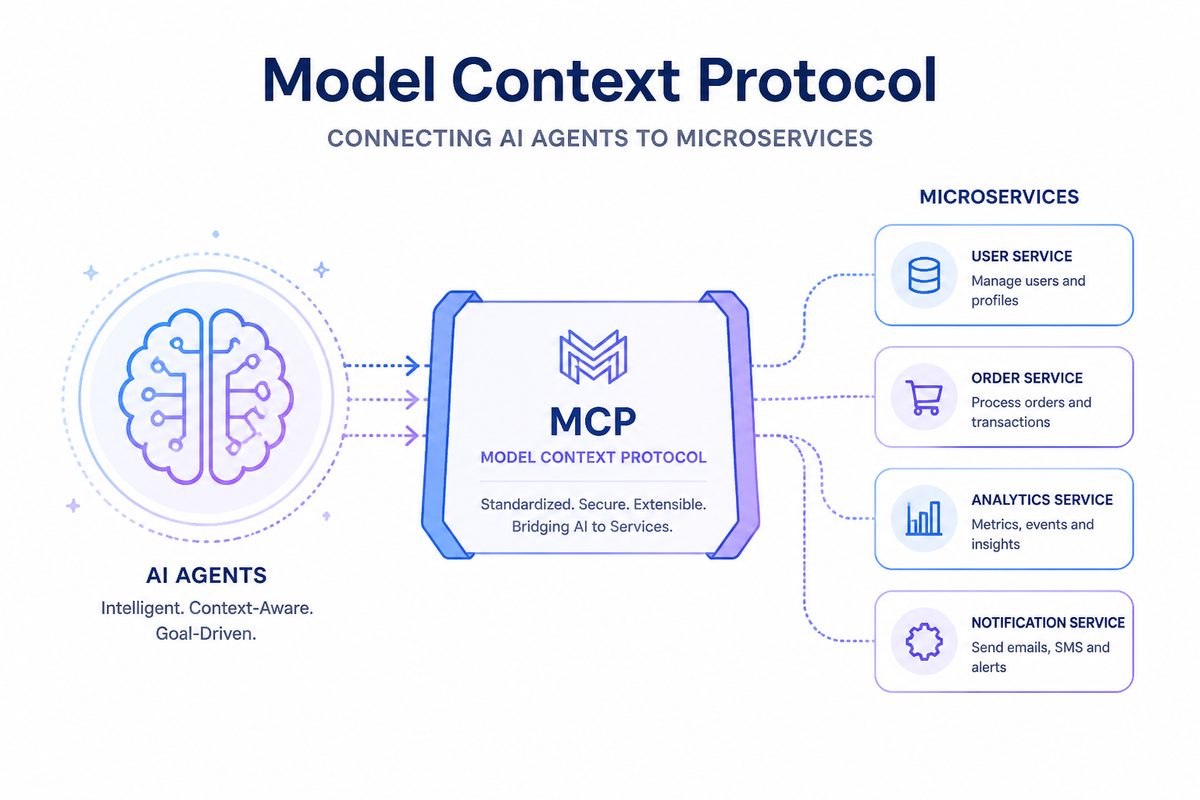
We’re excited to announce MCP (Model Context Protocol) support in Go Micro v5.15.0 — making your microservices instantly accessible to AI tools like Claude.
The Vision
Imagine telling Claude: “Why is user 123’s order stuck?”
Claude responds by:
- Calling your
usersservice to check the account - Calling your
ordersservice to inspect the order - Calling your
paymentsservice to verify the transaction - Giving you a complete diagnosis
No API wrappers. No manual integrations. Your services just work with AI.
What is MCP?
Model Context Protocol is Anthropic’s open standard for connecting AI models to external tools. Think of it like a microservices registry, but for AI.
With MCP, your go-micro services become tools that Claude can discover and call directly.
The Integration
For Library Users (Just Add Comments!)
package main

import (
    "context"
    "go-micro.dev/v5"
    "go-micro.dev/v5/gateway/mcp"
)

type UserService struct{}

// GetUser retrieves a user by ID. Returns user profile with email and preferences.
//
// @example {"id": "user-123"}
func (s *UserService) GetUser(ctx context.Context, req *GetUserRequest, rsp *GetUserResponse) error {
    // implementation
    return nil
}

type GetUserRequest struct {
    ID string `json:"id" description:"User's unique identifier"`
}

type GetUserResponse struct {
    User *User `json:"user" description:"The user object"`
}

func main() {
    service := micro.NewService(micro.Name("users"))
    service.Init()

    // Register handler - docs extracted automatically from comments!
    service.Server().Handle(service.Server().NewHandler(new(UserService)))

    // Add MCP gateway
    go mcp.Serve(mcp.Options{
        Registry: service.Options().Registry,
        Address:  ":3000",
    })

    service.Run()
}
That’s it. Your service is now AI-accessible with automatic documentation.
For CLI Users (Just a Flag)
# Development with MCP
micro run --mcp-address :3000

# Production with MCP
micro server --mcp-address :3000
The CLI integration uses the same underlying library, so you get the same functionality either way.
How It Works
- Service Discovery: MCP gateway queries your registry (mdns/consul/etcd)
- Auto-Exposure: Each service endpoint becomes an MCP tool
- Schema Conversion: Request/response types → JSON Schema for AI
- Dynamic Updates: New services appear as tools automatically
For example, if you have:
type UsersService struct{}

func (u *UsersService) Get(ctx context.Context, req *GetRequest, rsp *GetResponse) error {
    // ...
}

func (u *UsersService) Create(ctx context.Context, req *CreateRequest, rsp *CreateResponse) error {
    // ...
}
Claude sees:
Tools:
- users.UsersService.Get
- users.UsersService.Create
And can call them with natural language: “Get user 123’s details”
Real-World Use Cases
1. AI-Powered Customer Support
# Claude can help support agents
User: "Why is my order taking so long?"

Claude: Let me check...
→ Calls orders.Orders.Get with user's order ID
→ Calls shipping.Shipping.Track with tracking number
→ Calls inventory.Inventory.Check with product ID

Claude: "Your order is waiting for inventory. The product
is expected to be restocked on Feb 15. Would you like to
switch to an in-stock alternative?"
2. Debugging Production Issues
# Tell Claude the symptoms, it investigates
You: "Users can't log in. Check if it's the auth service."

Claude:
→ Calls health.Check on auth service
→ Calls metrics.Get for error rates
→ Calls logs.Recent for auth failures
→ Calls database.ConnectionPool for connection issues

Claude: "The auth service is healthy but the connection
pool is exhausted. Current: 100/100. Recommend increasing
pool size or checking for connection leaks."
3. Automated Operations
# Claude as an operations assistant
You: "Scale up the worker service"

Claude:
→ Calls infrastructure.Services.List to find workers
→ Calls infrastructure.Services.Scale with new count
→ Calls metrics.Monitor to watch the scale-up

Claude: "Scaled from 3 to 5 workers. All healthy and
processing jobs normally."
4. AI Data Analysis
# Claude can query your services for insights
You: "Show me revenue trends for the last quarter"

Claude:
→ Calls analytics.Revenue.GetTrends with date range
→ Calls analytics.Revenue.Compare with previous quarter
→ Calls analytics.Revenue.TopProducts

Claude: "Revenue is up 23% vs Q4. Top driver is product X
with 45% growth. However, churn increased 5% — recommend
investigating retention."
Deployment Patterns
Pattern 1: Embedded Gateway
Add MCP directly to your services:
func main() {
    service := micro.NewService(...)

    go mcp.Serve(mcp.Options{
        Registry: service.Options().Registry,
        Address:  ":3000",
    })

    service.Run()
}
Best for: Simple deployments, quick prototypes
Pattern 2: Standalone Gateway
Deploy a dedicated MCP gateway service:
// cmd/mcp-gateway/main.go
package main

import (
    "go-micro.dev/v5/gateway/mcp"
    "go-micro.dev/v5/registry/consul"
)

func main() {
    mcp.ListenAndServe(":3000", mcp.Options{
        Registry: consul.NewRegistry(),
    })
}
Best for: Production, multiple services, centralized auth
Pattern 3: Docker Compose
version: '3.8'

services:
  users:
    build: ./users
    environment:
      - MICRO_REGISTRY=mdns

  orders:
    build: ./orders
    environment:
      - MICRO_REGISTRY=mdns

  mcp-gateway:
    build: ./mcp-gateway
    ports:
      - "3000:3000"
    environment:
      - MICRO_REGISTRY=mdns
Best for: Local development, testing
Pattern 4: Kubernetes
apiVersion: apps/v1
kind: Deployment
metadata:
  name: mcp-gateway
spec:
  replicas: 2
  template:
    spec:
      containers:
      - name: mcp-gateway
        image: myregistry/mcp-gateway:latest
        ports:
        - containerPort: 3000
        env:
        - name: MICRO_REGISTRY
          value: "consul"
        - name: MICRO_REGISTRY_ADDRESS
          value: "consul:8500"
Best for: Production at scale
Security Considerations
Add Authentication
mcp.Serve(mcp.Options{
    Registry: registry.DefaultRegistry,
    Address:  ":3000",
    AuthFunc: func(r *http.Request) error {
        token := r.Header.Get("Authorization")
        if !validateToken(token) {
            return errors.New("unauthorized")
        }
        return nil
    },
})
Network Isolation
Deploy MCP gateway in a private network:
              Internet
                 │
          ┌──────▼────────┐
          │  micro server │  :8080 (public)
          │   + Auth      │
          └──────┬────────┘
                 │
          ┌──────▼────────┐
          │  MCP Gateway  │  :3000 (private)
          └──────┬────────┘
                 │
      ┌──────────┼──────────┐
      │          │          │
  ┌───▼───┐  ┌──▼────┐  ┌──▼────┐
  │ users │  │ orders│  │payments│
  └───────┘  └───────┘  └────────┘
  (private)  (private)  (private)
Only the HTTP gateway is public. MCP gateway and services are internal.
Library vs CLI
Both approaches use the same underlying library (go-micro.dev/v5/gateway/mcp):
| Approach | Users | Benefits |
|---|---|---|
| Library | Import gateway/mcp package | Full control, works anywhere (Docker/K8s) |
| CLI | Use --mcp-address flag | Zero code changes, instant MCP support |
The CLI is just a convenient wrapper around the library.
Getting Started
Install
go get go-micro.dev/v5@v5.16.0
Library Usage
import "go-micro.dev/v5/gateway/mcp"

go mcp.Serve(mcp.Options{
    Registry: service.Options().Registry,
    Address:  ":3000",
})
CLI Usage
micro run --mcp-address :3000
# or
micro server --mcp-address :3000
Test It
# List available tools
curl http://localhost:3000/mcp/tools

# Call a tool
curl -X POST http://localhost:3000/mcp/call \
  -d '{"tool": "users.Users.Get", "input": {"id": "123"}}'
New in v5.16.0: Stdio Transport & Auto-Documentation
We’ve added two major features that make MCP even more powerful:
1. Stdio Transport for Claude Code
Use go-micro services directly in Claude Code with stdio transport:
# Start MCP server with stdio (no HTTP needed)
micro mcp serve
Add to Claude Code config (~/.claude/claude_desktop_config.json):
{
  "mcpServers": {
    "my-services": {
      "command": "micro",
      "args": ["mcp", "serve"]
    }
  }
}
Now Claude Code can discover and call your services directly!
2. Automatic Documentation Extraction
Services now automatically extract documentation from Go comments:
// GetUser retrieves a user by ID from the database.
//
// @example {"id": "user-123"}
func (s *UserService) GetUser(ctx context.Context, req *GetUserRequest, rsp *GetUserResponse) error {
    // implementation
}

// Register handler - docs extracted automatically!
handler := service.Server().NewHandler(new(UserService))
No manual configuration needed! Claude understands your service from your code comments.
3. MCP Command Line Tools
The new micro mcp command provides utilities for working with MCP:
# Start MCP server (stdio by default)
micro mcp serve

# Start with HTTP
micro mcp serve --address :3000

# List available tools
micro mcp list

# Test a tool
micro mcp test users.Users.Get
What’s Next?
We’re continuing to evolve MCP support:
- Streaming responses for long-running operations
- Rate limiting and usage tracking
- MCP server discovery (browse available gateways)
- Enhanced schema generation from struct tags
Philosophy
Go Micro has always been about composable microservices. MCP extends that philosophy:
- Your services, your way: MCP doesn’t change how you build services
- Library-first: Works for all users, not just CLI users
- Zero vendor lock-in: Open protocol, works with any MCP client
- Production-ready: Security, auth, and scaling built-in
AI is becoming infrastructure. Your services should be ready.
Try It Today
# Update to v5.16.0
go get go-micro.dev/v5@v5.16.0

# Add MCP to your service
import "go-micro.dev/v5/gateway/mcp"
go mcp.Serve(mcp.Options{
    Registry: service.Options().Registry,
    Address:  ":3000",
})

# Or use the CLI
micro run --mcp-address :3000
See the MCP Gateway documentation for full details.
Introducing micro deploy
We’re excited to announce micro deploy in Go Micro v5.13.0 — a simple way to deploy your services to any Linux server.
The Problem
Go Micro has always been great for building microservices:
micro new myservice
cd myservice
micro run
But getting those services to production? That was on you. You’d need to figure out Docker, Kubernetes, or write your own deployment scripts.
We tried to solve this with Micro v3 — a full platform-as-a-service. But it was too much. Too complex. Nobody wanted another platform to manage.
The Solution
The new approach is simple: systemd + SSH.
Every Linux server has systemd. It’s battle-tested, it manages processes, it restarts them when they crash, it handles logging. Why reinvent it?
One-Time Server Setup
ssh user@server
curl -fsSL https://go-micro.dev/install.sh | sh
sudo micro init --server
This creates:
/opt/micro/bin/— where your binaries live/opt/micro/config/— environment files- A systemd template for managing services
Deploy
micro deploy user@server
That’s it. The command:
- Builds your services for Linux
- Copies binaries via SSH
- Configures systemd services
- Verifies everything is running
Manage
micro status --remote user@server
micro logs --remote user@server
micro logs myservice --remote user@server -f
Named Deploy Targets
Add deploy targets to your micro.mu:
service users
    path ./users
    port 8081

service web
    path ./web
    port 8080

deploy prod
    ssh deploy@prod.example.com

deploy staging
    ssh deploy@staging.example.com
Then:
micro deploy prod
micro deploy staging
Philosophy
- systemd is the standard — don’t fight it, use it
- SSH is the transport — no custom agents or protocols
- Errors guide you — every failure tells you how to fix it
- No platform — just your server, your services
What’s Next?
This is just the beginning. We’re thinking about:
- Secrets management — integrating with vault/sops
- Multi-server deploys — deploy to a fleet
- Metrics — Prometheus endpoints out of the box
- Rolling updates — zero-downtime deployments
Try It
go install go-micro.dev/v5/cmd/micro@v5.13.0
micro new myapp
cd myapp
micro run

# When you're ready to deploy:
micro deploy user@your-server
See the deployment guide for full documentation.